
Introduction: Why Your Pricing Strategy Is the Ultimate Lever to Boost Your Listing
You’ve got the photos. The place looks great. The bed is made, the coffee setup is cute, and the reviews are solid. And yet… the views stay low, the calendar looks sleepy, and bookings trickle in like they’re late for dinner.
That part hurts.
A lot of hosts think pricing is just about making money on each night. But pricing does more than that. It sends a signal to Airbnb. It can help your listing get more views on Airbnb, move up in Airbnb search ranking, and turn curious lookers into actual guests.
Here’s the deal: Airbnb pricing strategy isn’t only about picking a number that feels fair. It’s part of how the platform reads your listing. If your rate looks strong compared with nearby stays, you may have a better shot at clicks and bookings. If it looks too high, people scroll right past. Fast.
That’s why learning how to boost Airbnb listing performance starts here, with price. Not flashy. Not fancy. Just smart.
In this guide, we’ll walk through how to price your Airbnb in a way that helps you increase Airbnb bookings, improve your ranking, and earn more without guessing every weekend. We’ll also touch on Airbnb competitor analysis, dynamic pricing for Airbnb, and the small tweaks that can make a big difference. Plus, if you run more than one place, tools like Ease My Hotel’s Airbnb vacation rental management software can help keep pricing, bookings, and guest info in one spot so you’re not juggling a mess of tabs and sticky notes.
Want the short version? Better pricing can help your listing work harder for you. And that’s a pretty nice feeling.
1. How Pricing Directly Impacts Your Airbnb Search Ranking
Ever notice how one listing gets clicks like crazy, while another looks like it’s stuck in slow motion? That gap usually starts with price.
Airbnb doesn’t just look at pretty photos and nice words. It watches what people do. If guests click your listing, spend time on it, save it, and then book, that tells Airbnb your place is worth showing more often. But if people skip past it fast, or bounce away, that sends the opposite signal.
And here’s the big one: competitive pricing is often the biggest driver of conversion. That means it can help turn a view into a booking. A listing priced too high can get passed over in seconds. A listing priced well can pull in more clicks, more wishlist adds, and more time on the page, which all help your Airbnb search ranking.
Think of it like this:
| Guest action | What it may tell Airbnb |
|---|---|
| Clicks your listing | The price and photos got attention |
| Spends more time reading | The listing feels worth a closer look |
| Saves it to a wishlist | The guest is interested, but not ready yet |
| Books it | The listing matched the guest’s needs and price |
So if you’re trying to figure out how to boost Airbnb listing performance, pricing is one of the first levers to pull.
The new listing boost thing
New listings used to get a nice little bump at the start. But that boost has been cut back a lot, so new hosts can’t lean on it the way they used to. That makes your first pricing move a big deal. Many hosts try launching about 15% to 20% below the local market rate for the first few bookings. The goal isn’t to stay cheap forever. It’s to get those first reviews fast, build trust, and start moving up.
Actually, wait, that’s not even the full story. The real win is momentum. Once you get a few solid stays, your listing has proof. And proof books better than guesswork.
If you’re doing Airbnb revenue management by hand, start with a simple check of nearby stays. A smart Airbnb pricing strategy can help you get more views on Airbnb, improve conversion, and increase Airbnb bookings without making your place look bargain-bin cheap.
If you want to keep pricing, bookings, and guest messages in one place, tools like Ease My Hotel’s Airbnb vacation rental management software can help you stay organized without living in five different tabs. That alone saves a lot of headaches.
2. The Foundation: Conducting a Hyper-Specific Airbnb Competitor Analysis
You know that annoying feeling when you check your calendar and see your place sitting there, while a nearby listing keeps getting booked? Yeah. That usually means someone else is pricing with a better map than you are.
And no, your real competitors are not every Airbnb in your city.
That’s the first trap. A studio downtown isn’t your rival if you have a 2-bedroom with a hot tub, sleeps six, and has a washer plus a parking spot. You need to compare apples to apples, or at least apples to very similar apples.
Here’s a simple way to do Airbnb competitor analysis without getting lost in tabs:
Match the size
Look for listings with the same bedroom count and guest cap. A 1-bedroom that sleeps 2 is not the same game as a 1-bedroom that sleeps 4.Match the extras
Compare homes with similar perks like a pool, EV charger, pet-friendly rules, or a dedicated workspace. These things change what guests will pay.Match the proof
Check review scores and review counts. A 4.9-star place with 200 reviews usually plays in a different lane than a newer listing with 11 reviews.Match the stay type
If your place is made for weekend trips, don’t compare it with long-stay business rentals. Different guest, different pricing mood.
Now here’s the part people skip. Open Airbnb in incognito mode and use the map view. Then filter by guest count, bedrooms, bathrooms, and must-have amenities. This gives you a cleaner look at what guests actually see, not just what shows up in your memory from last month.
Then check three things:
- Nightly rate for future weekends
- Availability on holidays and busy event dates
- Minimum stay rules like 2-night or 3-night blocks
But don’t stop at the base rate. That’s where a lot of hosts get fooled. A listing at $180 a night can turn into $245 once you add a cleaning fee, extra guest fee, and a 3-night minimum that blocks short bookings. So if you only compare headline prices, you’re missing the real story.
| What to compare | Why it matters |
|---|---|
| Nightly rate | Tells you the base price guests see |
| Cleaning fee | Can cause sticker shock at checkout |
| Extra guest fee | Changes the total for bigger groups |
| Minimum night stay | Affects how easy it is to book |
| Open dates | Shows how bold or cautious they are |
If you want a free way to track this over time, a simple spreadsheet works fine. Add the dates, rates, fees, and notes on each rival listing. Or use a free tool like STRLab to watch price changes without doing all the manual checking by hand.
Actually, scratch that. Hand checks are still useful. They help you notice patterns a tool might miss, like a host who raises rates every Thursday before a big local event.
That’s the heart of how to price your Airbnb better. Watch the true competitors. Track the full price. Then adjust with a little more confidence and a lot less guessing.
And if you’re managing more than one stay, a system like Ease My Hotel’s Airbnb vacation rental management software can help you keep pricing, bookings, and guest info in one spot instead of buried in five browser windows.

3. Mastering Dynamic Pricing for Airbnb: Beyond a ‘Set It and Forget It’ Rate
Ever had a night sit empty for no good reason? You look at the calendar, blink twice, and think, “Wait… nobody took that Friday?” Yep. Pricing can do that.
Dynamic pricing for Airbnb is just a fancy way of saying you change your rate as the market changes. Not every day needs the same price. A slow Tuesday in February is not the same as a Saturday during a music festival. And your price should notice that.
Here’s the deal. If you want to how to boost airbnb listing results without guessing all the time, you need to watch a few things closely:
- Seasonality: Summer beach trips, winter ski stays, holiday travel
- Local events: Concerts, festivals, sports games, conferences
- Day of the week: Weekends usually book easier than weekdays
- Booking lead time: Last-minute gaps need a different plan than bookings made 3 months out
That’s the heart of smart Airbnb revenue management. You’re not just picking a number. You’re reacting to real demand.
Actually, wait, there’s more. The best hosts don’t just raise and lower rates at random. They set premium prices for high-demand dates, then use discounts to fill the awkward gaps. Like that lonely Wednesday night between two weekend stays. Orphan days. Annoying little things. Also, very fixable.
A simple way to think about it
| Situation | What to do |
|---|---|
| Big holiday weekend | Raise rates early |
| Concert or conference nearby | Increase price before demand spikes |
| Slow weekday | Keep it lower to attract short stays |
| Last-minute empty night | Offer a small discount |
| Single night between bookings | Fill the orphan day with a gap-night price |
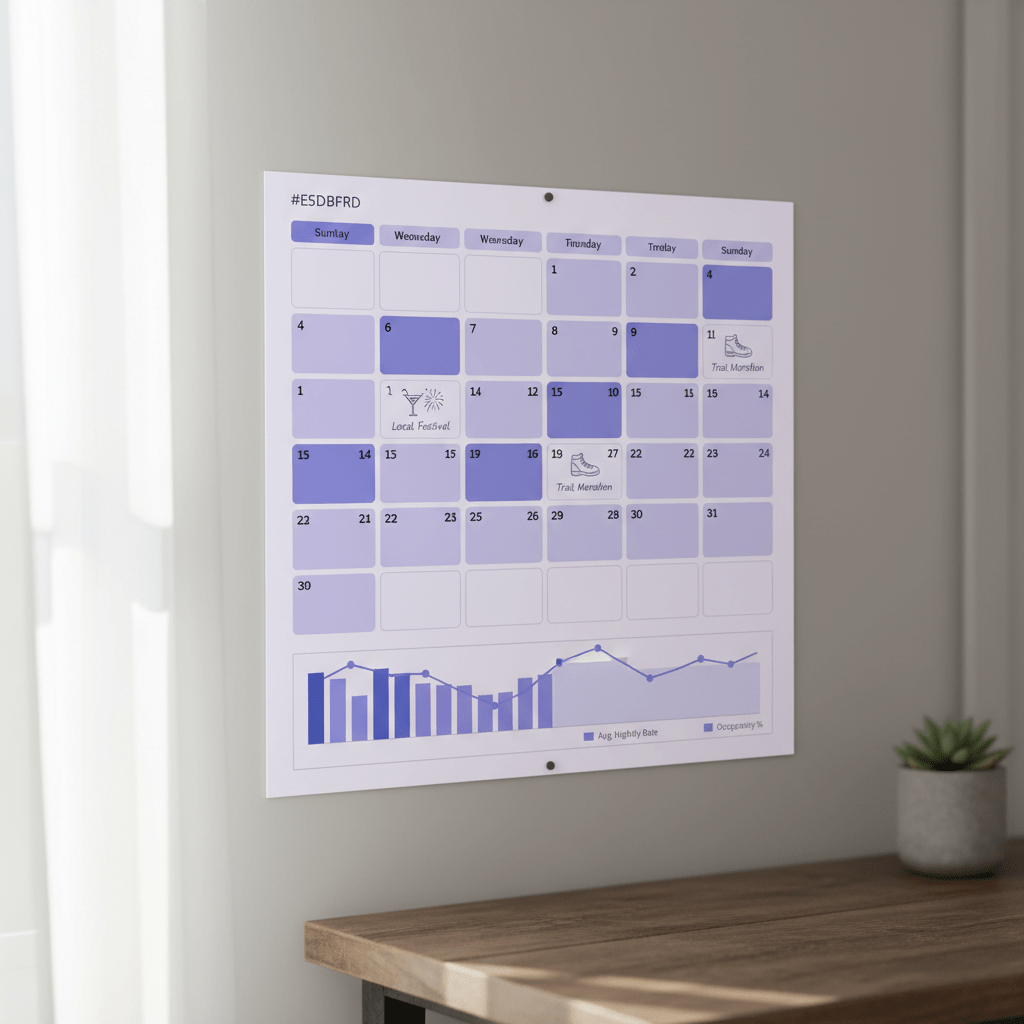
The timing matters too. For major holidays like New Year’s Eve, many hosts start raising prices 3 to 6 months ahead. That sounds early, but people do book that far out. For local events, you can usually push rates up 20% to 50%, depending on how crowded the area gets.
And if you’re wondering whether dynamic pricing for Airbnb really moves the needle, the answer is pretty clear: listings that use it often earn more than flat-rate listings. In a 2025 study of 541 listings, dynamic pricing brought in 36% more gross revenue and 37.3% more booked nights. Nice, right?
Now, you don’t need to hand-edit every single date forever. But you do need a system. Whether you use software, a spreadsheet, or both, the goal is the same: keep your pricing close to what guests are already willing to pay.
One more thing. Airbnb’s own smart pricing tools can be helpful for a quick start, but they often miss local events and special property features. So if you have a hot tub, EV charger, pool, or even just a killer setup for remote work, don’t price like you’re average. You’re not.
For hosts who manage a few listings or more, a platform like Ease My Hotel’s Airbnb vacation rental management software can help keep booking info, guest messages, and rate changes in one place. Less chaos. Fewer tabs. More control.
And that’s really what dynamic pricing is about. Not being perfect. Just being awake to the market.
Try Ease My Hotel for free.
No lock-in contracts. Cancel anytime
4. Smart Pricing Tools vs. Third-Party Software: An Honest Comparison
You know that moment when you set a price, feel pretty good about it, and then see no bookings for three days? Yeah. That sting is real.
Airbnb’s Smart Pricing tool is the easy button. It’s free, simple, and it gives you a quick price range based on demand, season, and your listing details. For brand-new hosts, that can feel like a relief. No spreadsheets. No late-night guessing. Just a number on the screen.
But here’s the catch. It often plays it too safe. A lot of hosts say it prices lower than they’d choose on their own, which can mean leaving money on the table. It also gives you very little control. You can set a floor and a ceiling, but that’s about it. No deep event tracking. No real feel for your property’s special perks. And no clear view into why a price was picked.
So, if you’re trying to figure out how to boost Airbnb listing performance, Smart Pricing can be a start. But it’s usually not where you stay for long.
Third-party Airbnb revenue management tools like PriceLabs, Wheelhouse, and Beyond go a lot further. They look at more market data, compare nearby listings, watch local events, and help you set rules for busy dates, slow dates, and those weird in-between nights that mess with your calendar. That matters. A lot.
| Tool type | Best for | Main downside |
|---|---|---|
| Airbnb Smart Pricing | New hosts, simple setups | Often underprices and gives little control |
| Third-party pricing software | Hosts who want more revenue control | Usually costs money each month |
My simple rule? Use Smart Pricing if you’re brand new and just need to get moving. But if you have steady bookings, care about profit, or manage more than one place, it’s time to level up.
A paid tool starts making sense when:
- You get regular bookings and want better nightly rates
- You manage 2 or more listings
- You’re losing money on peak dates or special events
- You want cleaner Airbnb competitor analysis and better price timing
- You’re tired of guessing every Friday afternoon
And if you’re also juggling guest messages, booking info, and team tasks, a platform like Ease My Hotel’s Airbnb vacation rental management software can help keep the whole thing in one dashboard. Less switching. Less chaos. More breathing room.
OK, so the big idea is pretty simple. Free tools are fine for getting started. But if your Airbnb pricing strategy is meant to increase Airbnb bookings and not just fill space, paid software usually gives you better control, better timing, and better results.
5. Optimizing Your Fee Structure: How the ‘Total Price’ Influences Bookings
You know that awkward moment when a guest loves your place, then sees the checkout total and suddenly goes quiet? Yep. Fees can do that.
Airbnb’s display total price feature changed the game a bit. People don’t just look at the nightly rate anymore. They look at the whole bill. And if the cleaning fee feels too chunky for a one-night stay, many guests bounce. Fast. A cleaner may only spend 45 minutes at your place, but if the fee feels like a penalty, that guest is already scrolling to the next listing.
That’s why the split between nightly rate and fees matters so much for Airbnb pricing strategy. A higher nightly rate can sometimes feel easier to swallow than a low rate with a big cleaning fee tacked on at the end. Weird, right? But that’s how guest psychology works.
Here’s a simple rule: make your cleaning fee match your real cost, not your wish list. Use it to cover labor, supplies, laundry, and turnover time. Not as a sneaky profit center. For a studio or 1-bedroom, a fee around the local norm makes sense. Bigger homes usually need more. As a rough guide, US averages often land around $83 for studios, $102 for 1-bedrooms, and $156 for 2-bedrooms.
| Fee type | Best practice |
|---|---|
| Cleaning fee | Base it on actual turnover cost |
| Extra guest fee | Set it after your included guest count |
| Pet fee | Keep it clear and tied to added work |
| Early check-in fee | Use it for real schedule strain |
For extra guests, pets, or early check-ins, be clear up front. Don’t hide the charge. Guests hate surprises more than they hate fees. If your place works well for families, group trips, or pet owners, those add-ons can help you increase Airbnb bookings from the right crowd while still protecting your property.
And yes, the message matters. Say what the fee covers. Say who it applies to. A fair fee feels normal. A vague fee feels shady.
If you manage more than one stay, a tool like Ease My Hotel’s Airbnb vacation rental management software can help keep your pricing, guest notes, and booking rules in one place, so you’re not guessing at every checkout screen.
Small tweak. Big difference.
6. How to Measure Success: Tracking the KPIs That Actually Matter
You changed the price. Nice. But did it help, or did it just feel smart for 10 minutes?
That’s the part a lot of hosts skip. And honestly, it’s where the real learning starts. If you want to know how to boost your Airbnb listing without guessing forever, you need to watch the numbers that tell the truth.
Start in your Airbnb Performance tab. Look at three things first:
| KPI | What it tells you | Simple read |
|---|---|---|
| Occupancy Rate | How many nights got booked | Higher can be good, but not if rates are too low |
| ADR | Your average price per booked night | Tells you what guests are actually paying |
| RevPAR or RevPAN | Revenue per available night | The cleanest check of price and fill rate together |
Occupancy rate is easy to spot. If you’re at 70% in a busy city, that may be solid. If you’re at 85% all year, you might be underpriced. ADR shows if your nightly rate is doing real work. And RevPAN? That’s the one I trust most, because it mixes price and bookings into one number.
But don’t stop there. Your booking calendar is a gold mine. Look for patterns like:
- How far ahead guests book
- Which weekdays stay weak
- Which months fill fast
- Where those annoying gaps keep showing up
If most bookings come in 2 to 4 weeks before check-in, that tells you how long you have to test a price change. So if you raise a weekend rate by 5%, give it time. Don’t panic after one slow day. Watch the next 2 to 4 weeks before you call it a miss.
Actually, scratch that. A better way is to test one small change at a time. Try a 5% increase on one weekend. Then check views, clicks, and booking speed. If bookings hold steady, you may have room to go higher. If they slow down hard, you just found your ceiling.
That’s the heart of Airbnb revenue management. Tiny tests. Clear notes. Real numbers.
And if you’re juggling more than one stay, a system like Ease My Hotel’s Airbnb vacation rental management software can help keep booking data, guest messages, and pricing notes in one dashboard, so you’re not digging through spreadsheets at midnight.
One last thing. Don’t just ask, “Did I get bookings?” Ask, “Did I get better bookings at a better price?” That’s the question that moves your Airbnb pricing strategy from guesswork to growth.

Conclusion: Transform Your Listing from Passive Income to an Optimized Business
If your Airbnb feels stuck, you’re not alone. Most of the time, the fix isn’t a prettier lamp or one more throw pillow. It’s price.
A smart Airbnb pricing strategy can help you boost your Airbnb listing, get more views on Airbnb, improve your Airbnb search ranking, and increase Airbnb bookings without guessing every week. The trick is to treat pricing like a living thing, not a one-and-done setting.
Here’s the short checklist:
Analyze your comps
Look at homes like yours, not random listings nearby.Embrace dynamic pricing
Raise rates for busy dates and ease up on slow nights.Choose the right tools
Smart Pricing can help, but third-party tools usually give you more control.Optimize all fees
Keep cleaning fees and add-ons fair and easy to understand.Track, test, and repeat
Watch occupancy, ADR, and RevPAN, then make small changes and see what happens.
And don’t forget the small stuff. A hot tub, pool, EV charger, or dedicated workspace can support a higher rate when the rest of your setup matches.
So yeah, this stuff matters. Not in a flashy way. In a real money-in-your-pocket way.
If you want your listing to work harder, start today. Check your comps, tweak one price, and watch what changes over the next 2 to 4 weeks. That’s how you move from hoping for bookings to running a smarter business.
Try Ease My Hotel for free.
No lock-in contracts. Cancel anytime