
Why Your Hotel Is Losing Bookings to OTAs (And How to Fix It for Free)
Ever notice how a traveler can go from “just looking” to “booked” in about two minutes? That’s not a guess. A 2024 Google and Deloitte travel report says most trip research starts on a search engine, and four in five travelers visit an OTA during planning. So yeah, Google is where the hunt starts, and OTAs are usually right there scooping up the booking.
That hurts. A lot.
If your hotel leans too hard on OTAs, you’re probably paying for your own guests. And that commission bite adds up fast. The weird part? A lot of hotels still don’t own the place where people first see them. No wonder direct bookings feel slippery.
Here’s the good news. Google My Business for hotels, now called Google Business Profile, gives you a free way to show up in Search and Maps, shape how your property looks, and push more people to book direct. It’s not magic. But it does work if you keep it fresh.
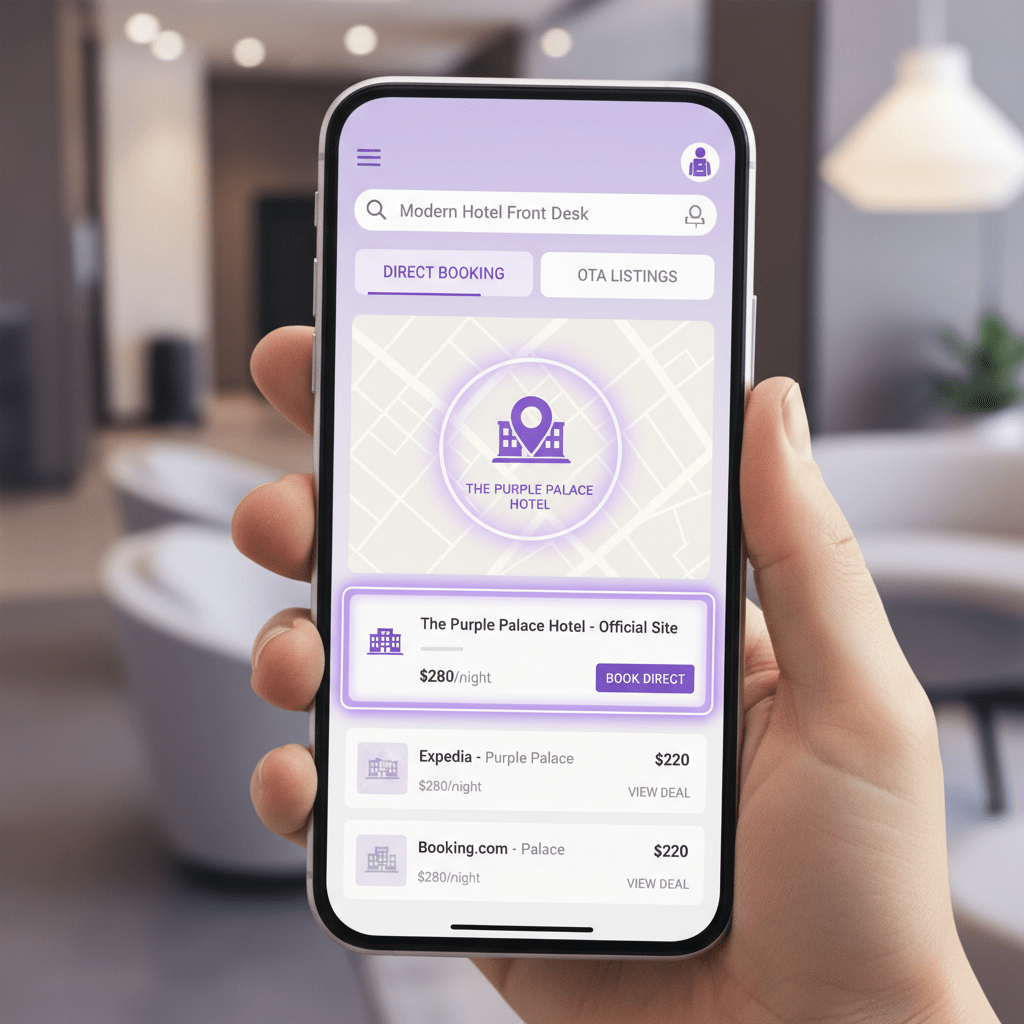
Think of it like your hotel’s front desk on Google. And if you manage it well, you can pull more eyes away from OTA listings and back to your own site.
If you want a simple place to start, this is it.
Plus, if your team already uses Ease My Hotel, a clean profile fits nicely with a tighter booking flow, better guest replies, and less messy back-and-forth across tools.

The Foundation: Why Google Business Profile is Non-Negotiable for Hotels
A guest sees your hotel long before they step inside. Sometimes it’s on a phone at 11:42 p.m. with one thumb and a tired brain. That first look usually happens in Google Search, the Local Pack, or Google Maps. And if your profile looks thin, old, or just plain ignored, people move on fast.
That’s why google my business for hotels matters so much. Well, Google Business Profile, to be exact. It’s your hotel’s digital storefront, and for a lot of travelers, it’s the first handshake. They see your rooms, your star rating, your hours, your amenities, and your booking link before they ever hit your website.
Here’s the part that stings a little. A 2024 Google and Deloitte travel report says most trip research starts on search, and four in five travelers visit an OTA during planning Google’s travel insights. So your GBP is not just a listing. It’s a fight for attention right where booking choices begin.
And unlike an OTA page, you get way more control. You can show your own photos, reply to reviews, highlight free parking or breakfast, and point people to your direct booking path. OTAs keep everything in the same look and feel. Google Business Profile for hotels gives you room to stand out.
It also feeds local search in a big way. When someone searches “hotel near me” or “pet-friendly hotel in Austin,” Google leans on relevance, distance, and prominence to decide what shows up. That’s why hotel GMB optimization is really local seo for hotels in action.
Why does this matter before anything else
Think of Google Maps marketing for hotels like the front desk window on the busiest street in town. If the window is clean, bright, and current, people stop. If it looks empty, they keep walking.
A strong profile helps you:
- show up in the Local Pack
- appear in Google Maps searches
- give guests quick booking info
- build trust with photos and reviews
- increase direct hotel bookings without paying OTA commission on every stay
And yes, the details matter. Amenities like pool, gym, WiFi, breakfast, and parking can help you show up in filtered searches. A complete profile also tends to get more clicks than a bare one, which is honestly not shocking. People like clear info. Shocker, I know.
So if you’re trying to optimize GMB for hotels, start here. Fill it out. Keep it fresh. Watch the small stuff. Because small stuff wins bookings more often than fancy slogans do.
If your team already uses Ease My Hotel, this gets even easier. A cleaner booking flow, faster guest replies, and one place to manage your hotel data can make your Google Business Profile feel a lot less like extra homework.

Step 1: Claiming, Verifying, and Securing Your Hotel’s Profile
You know that weird moment when you search your own hotel and see… the wrong phone number? Or an old photo from 2019 with a cloudy sky and a half-dead plant at the entrance? Yeah. That stuff sends guests running.
So let’s fix the first big step in google my business for hotels: claim it, verify it, and lock it down.
Start by searching your hotel name on Google. If a profile already shows up, click “Own this business?” or “Claim this business.” If nothing exists yet, create a new Google Business Profile for hotels with the exact name, address, phone number, and website you use everywhere else. Same spelling. Same suite number. Same everything. Tiny mismatch, big headache.
Then comes verification. Right now, Google may ask for mail, phone, email, or video upload, depending on the property. For hotels, video is showing up more often, so be ready to film a short, uncut walkthrough of the outside sign, lobby, front desk, and proof that you really run the place. No fancy editing. No music. Just the facts.
If verification gets stuck, check these first:
- your hotel name matches your website
- your address is the same across listings
- your category is set to hotel, not something random
- your video shows clear proof of location
Also, make sure only the right people can touch the profile. Give edit access to the front desk manager, marketing lead, or owner if needed. But don’t hand over full ownership unless you really mean to. That’s like giving away the spare key and forgetting who has it.
A clean profile setup helps with hotel GMB optimization later, plus it makes it easier to manage hotel reviews on Google and keep Google hotel listings looking sharp. If your team uses Ease My Hotel, this gets easier too, since one dashboard can help keep your hotel data and guest replies more in sync.
And once it’s claimed? You’re finally in control.
Step 2: Core Optimization – The ‘Must-Have’ Information for Your Hotel Listing
You know that awkward moment when a guest finds your hotel online, likes what they see, and then… the phone number is wrong? Or the address is slightly off? Yeah, that tiny mess can send them straight to another property.
So this next part is boring on paper, but it matters a ton.
First, get your NAP right. That means Name, Address, and Phone Number. Keep it the same everywhere, on your website, your Google Business Profile for hotels, your Facebook page, your OTA listings, and any local directories. If one listing says “Suite 12” and another says “Ste. 12,” Google can get mixed up. People can too. And when search engines see matching details across the web, it helps your local SEO for hotels and makes your property look more trustworthy.
Here’s the deal. If you want to optimize GMB for hotels, your main category should almost always be Hotel. That’s the cleanest match for most properties. But you can add secondary categories if they fit your place, like Resort, Boutique Hotel, or Spa. Use only the ones that make sense. Don’t stuff in random extras just because they sound nice. That usually backfires.
Now for the fun part. Well, fun-ish.
Hotel attributes you should fill out
Google gives hotels a bunch of profile details, and guests really do use them. People search for pet-friendly stays, free parking, pools, breakfast, WiFi, gyms, and airport shuttles all the time. So if you offer them, list them clearly.
| Profile Area | What to Add |
|---|---|
| Basic amenities | WiFi, pool, parking, breakfast, gym, air conditioning |
| Guest needs | Pet-friendly, family rooms, accessibility features, EV charging |
| Food and drink | Restaurant, bar, room service, breakfast options |
| Wellness | Spa, sauna, hot tub, fitness center |
| Policies | Check-in and check-out times, payment methods, smoking rules |
| Safety and hygiene | Health and safety info, cleaning standards, contactless options |
| Sustainability | Eco-certification, water-saving or energy-saving features |
Also, fill out anything that helps you show up in filtered searches. If you’re a boutique property with a rooftop pool and free parking in Austin, say that. If you’re a resort with spa access and airport shuttle service, add those too. That’s how google maps marketing for hotels starts working harder for you.
And yes, photos matter. A lot. Complete profiles with strong visuals get more clicks than half-finished ones. But don’t stop at pretty shots. Make sure your room photos, lobby photos, and amenity photos match the experience guests will actually get. Nothing kills trust faster than a dreamy pool photo and a sad little puddle in real life.
If you’re using Ease My Hotel, this is a nice place to connect the dots. A central dashboard can help your team keep property details, guest messages, and booking info more organized, so your Google hotel listings stay current without someone chasing five different systems.
Small details. Big lift.
And if you get this part right, your profile starts doing quiet work in the background, helping increase direct hotel bookings while making your hotel look a whole lot more ready for real guests.

Try Ease My Hotel for free.
No lock-in contracts. Cancel anytime
Step 3: Advanced Optimization – Activating Features That Drive Direct Bookings
You know that moment when a traveler lands on your listing, likes what they see, and then slips away to an OTA because the booking path feels clunky? Painful. And way too common.
So let’s fix that part.
The big move here is connecting your direct booking engine so Google can show an Official site booking link. That link matters because it sends people straight to your own booking page instead of handing them off to a third-party site. Less leakage. More control. And, yeah, fewer commission headaches.
Google’s free booking links work inside Google Search, Maps, and Hotel results when a guest searches with dates. If your hotel is verified and your booking engine is connected through a Google-approved partner, your direct rate can show up under All options with the Official site label. That little label builds trust fast. It tells people, “Yep, this is the hotel’s own site.”
A few setup pieces usually need to be in place:
- a verified Google Business Profile for hotels
- a booking engine that can send live rates and availability
- a Google connectivity partner to pass the data feed
- clean rate and room data that matches what guests see on your site
Here’s the thing though. This is not just about the main hotel listing. It also helps with Google hotel listings and can pull attention away from OTAs right at the point where people are ready to book. That’s the sweet spot.
Don’t skip the Services and Amenities tabs
This part gets ignored a lot, which is wild because it’s free space to help guests decide faster.
Use every detail you can add in your Google Business Profile for hotels:
| Area | What to list |
|---|---|
| Rooms | Standard rooms, suites, family rooms, accessible rooms |
| In-room features | WiFi, TV, mini fridge, coffee maker, balcony, blackout curtains |
| Food and drink | Restaurant, bar, room service, breakfast menu |
| Wellness | Spa, sauna, hot tub, fitness center |
| Property extras | Pool, parking, airport shuttle, EV charging |
| Guest needs | Pet-friendly, kids stay options, accessibility support |
If your hotel has a rooftop bar, say so. If the spa takes walk-ins on Fridays, list it. If the breakfast is actually good (rare, but it happens), put it front and center.
Google likes clear, fresh data. Guests do too. And when your services and amenities match real search intent, your hotel GMB optimization gets stronger without paying for extra ads.
Also, this is a good place to mention review-friendly details in your messaging. If you’re also working to manage hotel reviews on Google, a complete profile gives guests fewer questions and fewer reasons to bounce.
And if your team uses Ease My Hotel, this becomes easier to keep tidy. A single dashboard for bookings, guest messages, and property info can help your direct booking flow stay in sync with what shows on Google. Less messy. More booked.
Actually, wait – there’s a better way to think about it. Your Google Business Profile is not just a listing. It’s a front door, a sales desk, and a trust check all in one.
Get the booking link right. Fill in the amenities. Keep the room details real. That’s how google my business for hotels starts turning searchers into direct guests.
And that’s the whole point.
Step 4: The Content Engine – Using Photos, Posts, and Videos to Tell Your Story
You know that moment when someone opens your hotel profile, stares for two seconds, and decides if you look worth it? Yeah. That tiny pause matters more than most teams think.
And honestly, photos do a lot of the heavy lifting.
For google my business for hotels, your images are not just decoration. They help people picture the stay. Start with clean groups of photos: rooms, exterior, pool or amenities, restaurant, and staff. That simple setup makes your google business profile for hotels feel real, not random. A bright lobby shot. A neat bed. The front entrance at night. Those things stick.
Here’s a quick photo plan:
| Photo Group | What to Include |
|---|---|
| Rooms | Beds, bathrooms, desk area, suite views |
| Exterior | Signage, parking lot, front door, nighttime look |
| Pool and Amenities | Pool, gym, spa, lounge, rooftop, EV charging |
| Restaurant | Breakfast spread, bar, dining room, room service |
| Staff | Front desk, concierge, smiling team moments |
Professional photos usually work better than phone snapshots with bad lighting. Not because guests need glamour. But because they want trust. And trust sells rooms.
Also, keep things fresh with Google Posts for hotels. Share a weekend package, a holiday offer, a live music night, or a new blog post. It’s a simple way to keep your profile active and give people one more reason to book direct. Think of it like a tiny billboard right inside Google Maps marketing for hotels.
Videos help too. A short room tour, a walk from lobby to suite, or even drone footage of the property can make your listing feel honest and easy to picture. Google allows short clips, and that little moving preview can calm a lot of booking doubts. Especially for first-time guests.
If you’re trying to increase direct hotel bookings, this is the kind of stuff that nudges people over the line. Not flashy. Just clear. And if your team uses Ease My Hotel, keeping photos, guest replies, and booking details in one place can make your updates way less messy.
So yeah, post the good photos. Keep the feed fresh. Show the real stay. That’s how hotel GMB optimization starts to feel alive instead of forgotten.
Step 5: Reputation Management – Mastering Reviews and the Q&A Section
You know that little pause before a guest clicks book? A lot of the time, it’s not your room photos. It’s your reviews. And maybe that one unanswered question sitting in Google Q&A from three months ago. Oof.
Here’s the deal. If you want google my business for hotels to pull in more direct traffic, you’ve got to manage trust like it pays rent. Because it kind of does.
How to reply without sounding stiff
Reply fast. A same-day reply is great, but even a next-day reply beats silence. Keep it short, kind, and human.
For a happy review:
“Thanks, Mia! We’re so glad you enjoyed the breakfast and the lake view. Hope to see you again soon.”
For a rough review:
“Thanks for sharing this, Jordan. I’m sorry the check-in felt slow. That’s not the stay we want for anyone. Please email us so we can look into it.”
Simple. Calm. No blame game.
But wait, there’s more to it than just replying. Reviews help hotel GMB optimization in a big way. More recent reviews, more real detail, and more replies can all help your google business profile for hotels look active and trustworthy. That matters for local SEO for hotels and for Google hotel listings too.
How to get more good reviews, the right way
Don’t beg. Don’t buy them. Just make it easy.
Try this:
- send a post-stay email 24 hours after checkout
- add a QR code at the front desk or on the room key card
- ask happy guests at checkout, right when they’re smiling
- place a small card in the room with a simple review link
And yes, timing helps. A guest who just had a good stay is way more likely to leave a kind note than one who gets asked a week later after the moment has faded.
Don’t ignore the Q&A section
This part gets skipped all the time. Big mistake.
Use the Q&A section to answer common things before people ask:
- Is parking free?
- Do you allow pets?
- What time is check-in?
- Is breakfast included?
- Do you have airport pickup?
You can even post the question yourself and answer it. That way, you control the info and help guests move faster.
Think of it like this. Reviews build trust. Q&A clears friction. Both help increase direct hotel bookings because people don’t have to guess.
If your team uses Ease My Hotel, this gets easier to keep up with. A central dashboard for bookings, guest messages, and staff notes can help your team reply faster and stay in sync, which is handy when you’re trying to manage hotel reviews on Google without dropping the ball.
And honestly, that little bit of care shows. Guests notice. Google notices too.

Step 6: Measuring Success – How to Track Your GBP Performance
You know that little rush when bookings start creeping up and you think, “OK, something’s working”? That’s the good part. But if you can’t point to what changed, you’re kind of guessing. And guessing is a pricey hobby.
So let’s keep this simple. Your Google Business Profile has a built-in Performance dashboard. It shows the numbers that matter most for google my business for hotels:
- Searches: how people found you
- Views: how many times your profile showed up
- Bookings: clicks or actions tied to reservations
- Calls: tap-to-call actions from your listing
- Direction requests: how often people asked Google for a route to your hotel
Think of it like a little report card for your google business profile for hotels. If searches are up but bookings are flat, your listing is getting seen but not convincing people. If calls are high, maybe your rate or room details need a cleaner look. And if direction requests keep rising, that’s a strong sign your local SEO for hotels is doing its job.
Add UTM tags so you know what really booked
This part sounds nerdy, but it’s free and worth it.
- Open your website link and your booking link.
- Add UTM tags like
utm_source=google,utm_medium=organic, andutm_campaign=gbp_hotel. - Paste those tagged links into your Google Business Profile.
- Check Google Analytics to see which visits came from your listing.
- Match those visits with bookings so you can see revenue, not just clicks.
That’s how you move from “we got traffic” to “we got 12 room nights from Google last week.” Much better, right?
Watch your competitors too
Here’s the thing though. Your profile doesn’t live alone. It sits next to three or four other hotels in the same search results. So once a week, look at your direct competitors and compare:
- review count
- star rating
- photo quality
- booking link setup
- recent Google Posts for hotels
- how often they reply to reviews
If their profile looks fresher, that’s a clue. If they have better photos or faster replies, that’s a clue too.
Actually, wait. There’s one more useful check. Search your main keywords, like “pet-friendly hotel near me” or “boutique hotel in Austin,” and see who shows up in the Local Pack. That’s your real competition. Not the giant chain across town that never targets your crowd.
Keep tracking. Keep tweaking. And if you’re using Ease My Hotel, a central dashboard can help your team line up bookings, guest messages, and profile updates so your numbers are easier to read and act on.
Small steps. Real data. More direct bookings.
Your Action Plan: From Optimized Profile to Increased Direct Bookings
So here’s the big picture. If your google my business for hotels setup has the right basics, good photos, honest reviews, and steady tracking, you’re already ahead of a lot of properties.
That matters because travel research starts on search, and four in five travelers visit an OTA before they book, according to Google and Deloitte’s 2024 travel report. Every extra click you keep on your own listing is a chance to win the guest back directly instead of paying a booking fee to someone else Google’s 2024 travel insights.
Here’s the simple action plan:
- finish your profile details
- add real, fresh photos and video
- reply to reviews fast
- keep your Q&A clear
- check your Performance data every week
That’s the heart of strong hotel gmb optimization. Not fancy. Just steady.
And if you want to make it easier, grab a Hotel GBP Optimization Checklist and walk through it with your team this week. If you’re already using Ease My Hotel, it can help keep booking info, guest replies, and property updates in one place so your google business profile for hotels stays in sync with the rest of your operation.
The goal is pretty clear. Show up better in Google Maps marketing for hotels, build trust faster, and increase direct hotel bookings without letting OTAs take such a big bite every time someone clicks “reserve.”
Small changes. Real bookings. That’s the move.
Try Ease My Hotel for free.
No lock-in contracts. Cancel anytime