
Why Your Hotel’s Visuals Are Costing You Bookings (And How to Fix It in 2026)
You know that weird feeling when a hotel looks amazing in person, but the online listing feels… flat? Yeah. That gap costs real bookings.
I see this all the time. A property has clean rooms, great service, maybe even a killer rooftop view. But the photos on OTA sites look dark, cramped, or just plain dated. And guess what? Travelers scroll right past.
In 2026, pictures are not just decoration. They are the first sales pitch. Most guests decide fast, and strong visual content for hotels can make the difference between “maybe later” and “book now.” TripAdvisor says properties with at least one photo get 138% more engagement and are 225% more likely to get a booking inquiry, and listings with 100+ photos do even better TripAdvisor hotel marketing stats.
But here’s the part many hoteliers miss: the fix is not only better photos. It’s also about how you push those photos everywhere. That’s where a hotel channel manager comes in. With the right workflow, you can optimize OTA listings, keep image sets fresh, and improve hotel booking conversion without updating each site by hand.
This guide goes past simple photo tips. We’ll look at hotel photography guide basics, channel manager image optimization, video content for hotel marketing, and the small stuff that quietly helps increase hotel visibility online. Also, we’ll keep it real. No fluff. Just what works.
And yes, this matters whether you run a boutique inn, a resort, a hostel, or a chain with a hundred rooms.
The Foundation: Why Visual Content Is the Cornerstone of OTA Listing Optimization
Have you ever clicked on a hotel and thought, “Hmm… this feels off,” even before reading a single review? That split-second gut check is real. And it happens fast.
People don’t browse hotel listings like they’re reading a report. They skim. They feel. They judge. A bright room, clean lines, and a real view can make someone stop scrolling. A dark lobby shot or a blurry bed photo can do the opposite in a blink.
That’s why visual content for hotels has such a big pull on booking behavior. Research shared in hotel marketing stats shows that properties with at least one photo get 138% more engagement and are 225% more likely to get a booking inquiry. And listings with 100+ photos do even better. Wild, right?
But it’s not just about “pretty” pictures. Good photos change how people read your price. A hotel with sharp, pro-level images often looks worth more, which helps it command a better ADR. In plain terms, people usually pay more when the stay looks calmer, cleaner, and more worth it. That’s not magic. That’s trust.
Why images move faster than words
Most travelers make emotional choices first, then logic kicks in later. So the photo sets the mood before your room details or policies even get a chance. If the images feel old, cramped, or fuzzy, guests start lowering their expectations right away. And once that happens, good copy has to work way harder.
This is where hotel photography guide basics matter. You want photos that show the room size clearly, use natural light, and tell the truth about the space. Not just one glam shot of the suite, either. People want to see the standard room, the bathroom, the breakfast area, and maybe the pool. The full picture builds confidence.
OTA search results are watching too
Booking platforms care about image quality and quantity more than a lot of hoteliers realize. Their Content Score systems reward listings with fresh, clear, and complete visuals. So when you optimize OTA listings, you’re not just helping guests. You’re also helping the listing show up better in search.
Think of it like this:
| Visual factor | What guests feel | What OTAs tend to reward |
|---|---|---|
| Bright, clear photos | Trust and comfort | Better visibility |
| Lots of room types shown | Less doubt | Higher content quality |
| Fresh, updated images | “This place is active” | Better recency signals |
| Lifestyle shots and real details | Stronger desire to book | Higher engagement |
So yes, channel manager image optimization matters. If your hotel channel manager best practices include keeping photos synced across all platforms, you save time and avoid that awkward problem where one site shows a fresh renovation and another still shows the old carpet from 2017. Because nothing says “book elsewhere” like mixed signals.
And if you’re using a tool like Ease My Hotel, this gets a lot easier. A central dashboard helps keep room details, rates, and visual assets lined up across channels, so your story stays the same everywhere. That kind of consistency can quietly improve hotel booking conversion and help increase hotel visibility online without adding more manual work to your day.
Plus, the next step isn’t just better photos. It’s making sure every listing shows the same strong first impression.
Your Channel Manager: The Central Hub for an Efficient Visual Strategy
A lot of hotel teams treat a channel manager like a rate tool. That’s only half the story.
If you’re still updating photos one by one on every OTA, you’re probably losing time and making little mistakes that add up fast. One old lobby shot here. A missing pool photo there. Then suddenly your brand looks split in five different directions. Not great.
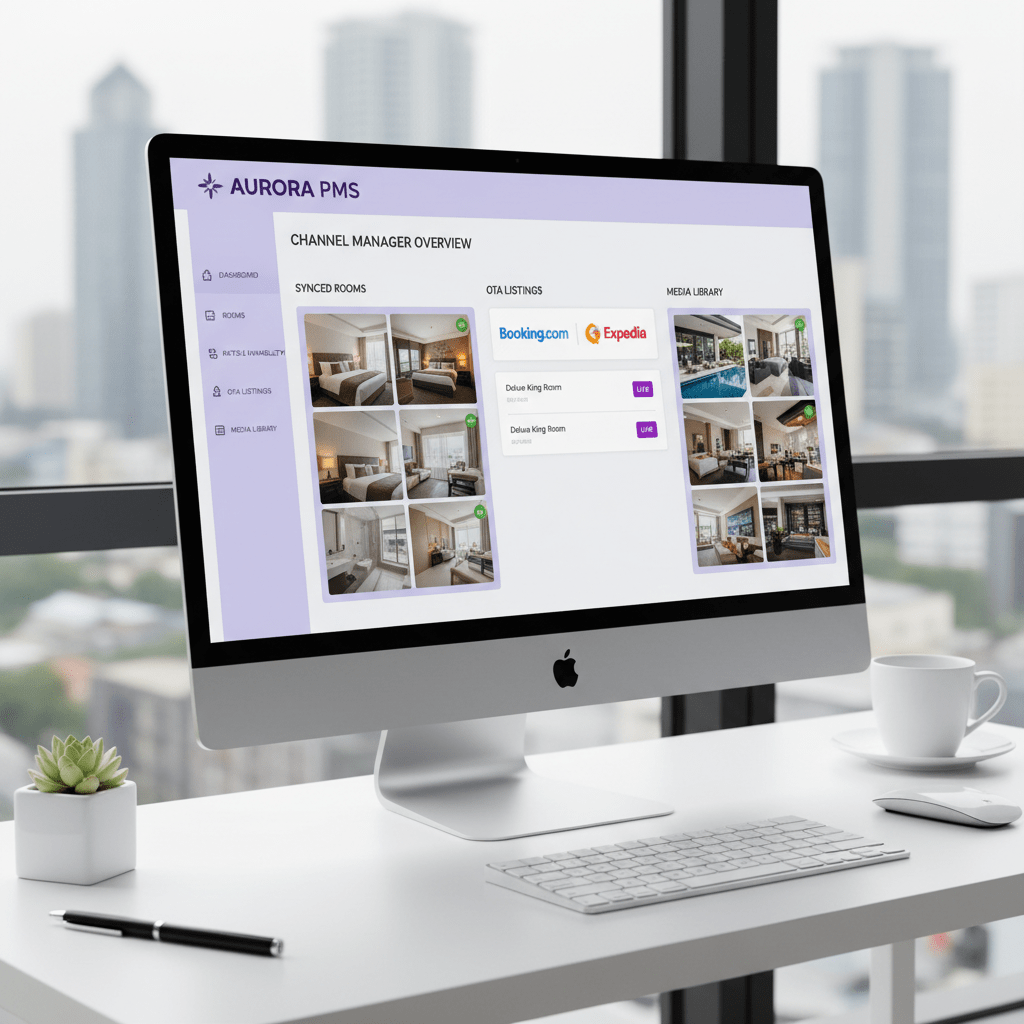
Here’s the better way: think of your channel manager as a content hub, not just a booking switchboard. It can help move your visual content for hotels across your website, OTA listings, and booking sites from one central place. So when you update a hero image, swap out a room set, or add new video content for hotel marketing, you’re not doing the same work 20 times.
That single-source setup matters. A lot. Guests should see the same story everywhere they look. Your brand website, Expedia listing photos, Booking.com, and even smaller travel sites should all feel like they belong to the same property. If one place shows a refreshed suite and another still shows last year’s carpet, people notice. Maybe not in words, but they feel it.
A good media library inside your channel manager should let you do a few simple things well:
- Order photos the way you want them seen
- Tag images by space, like “King Room,” “Lobby,” or “Pool”
- Match the right photos to the right OTA listings
- Keep room types, amenities, and lifestyle shots in the same clean system
That’s the heart of strong channel manager image optimization. And yes, it saves time. But it also helps with trust. When travelers see a neat set of images, they relax a little. They feel like the property is organized, current, and worth booking.
The numbers back that up too. Listings with strong photos tend to get better booking intent, and higher photo counts can lift engagement in a big way. But the real win is this: you stop guessing. You know every channel has the same visual assets, in the same order, with the same message.
That’s where tools like Ease My Hotel fit nicely. A cloud-based dashboard can help hotels, hostels, resorts, and homestays keep bookings, rates, and media lined up without extra chaos. Less copy-paste. Less drift. More control.
And honestly, that’s what hotel channel manager best practices should look like in 2026. One source of truth. Fast updates. Clean image mapping. Fewer surprises.
If you’re ready to improve hotel booking conversion and increase hotel visibility online, start with the visuals you already have. Clean them up. Sort them once. Then push them out everywhere with a system that actually keeps up.
Mastering Hotel Photography: A Practical Guide for Composition, Lighting, and Storytelling
You know what usually stops a scroll? A photo that feels alive.
Not fancy. Not overdone. Just real enough that you can picture yourself there with coffee in hand, shoes off, and zero stress. That’s the kind of visual content for hotels that helps improve hotel booking conversion, and it starts with a few smart shots.
Here’s a simple checklist every hotel should have:
- Wide shots of every room type
- Close-ups of special details, like tile, art, or bedding
- Photos of the pool, gym, restaurant, and lobby
- Exterior shots that show the building clearly
- A few local views, like a beach, skyline, or nearby street scene
And please, don’t stop at the suite. That’s the classic mistake. Guests want to know what the standard room looks like, too. That trust piece matters a lot in hotel photography guide planning, and it helps optimize OTA listings without making people feel tricked.
Simple composition tips that work
You don’t need to be a pro photographer to get better results. Really. You just need a steadier hand and a little patience.
Start with natural light. Open the curtains. Turn off weird yellow lamps if they fight the daylight. If the room looks sad at noon, try again during the golden hour, when the sun is lower and softer. That warm light makes spaces feel calm and roomy.
Also, use a tripod if you can. It keeps the shot sharp and stops that shaky-phone look that screams, “I did this in a rush.” Shoot from a corner when possible, and keep the camera level so walls don’t tilt. Those crooked lines can make even a nice room feel off.
Quick fix list:
| What to do | Why it helps |
|---|---|
| Shoot in natural light | Rooms feel brighter and cleaner |
| Use a tripod | Photos stay sharp |
| Declutter first | Guests see the space, not random stuff |
| Keep lines straight | The room looks more real |
| Use landscape format | Works better for OTA platforms |
Decluttering is a tiny thing, but wow, it changes everything. Take out extra cords, half-used cleaning bottles, and that lonely chair nobody uses. Because nothing says “book this room” like a perfectly made bed next to a power strip mess, right?
Tell a story, not just a room
This part is where hotel photography starts selling the feeling, not just the space.
A balcony photo with breakfast and a view does more than show a balcony. It says, “This is a slow morning with fresh air and no rush.” A pool photo with a couple reading by the water doesn’t just show water. It says, “This is a stay that feels like a break.” That’s the magic.
The best visual content for hotels gives guests a little movie in their heads. The room. The meal. The calm morning. The sunset drink. The easy check-in. And if you’re using a channel manager like Ease My Hotel, you can keep those story-led images synced across your website, Booking.com, and Expedia listing photos without doing the same upload dance over and over.
That’s the real win with channel manager image optimization. Clean photos. Clear story. Same look everywhere. And yes, that can help increase hotel visibility online while giving your OTA pages a much stronger first impression.
If you’ve been relying on random phone shots, this is your sign to tighten things up. Start with five better images. Then build from there.
And if you want your visuals to work harder in 2026, keep this rule close: show what the guest will feel, not just what the room contains.
Try Ease My Hotel for free.
No lock-in contracts. Cancel anytime
The Technical Details: Optimizing Image Files for Peak Performance on Every Channel
Ever upload a photo and then wait… and wait… and wait? That tiny lag can quietly hurt bookings. Guests feel it. Google feels it too.
Here’s the deal: great hotel visuals need to look sharp and load fast. If a file is too heavy, your site can slow down, and that hurts booking flow. Google PageSpeed Insights flags large images for a reason. Slow pages lose people.
So what should you upload? For most hotel listings, a safe bet is JPG or PNG, landscape only, and at least 2048 pixels wide. Booking.com wants a minimum width of 2048 pixels and accepts JPG, JPEG, and PNG. Airbnb says 1024 x 683 pixels is the floor, but bigger usually works better. A clean universal target is 2048 x 1080 pixels, under 6 MB, with no text, no logos, and no watermarks. Keep it simple. Clean. Easy to scan.
Quick image specs to keep handy
| Platform | Best size to aim for | File types | Notes |
|---|---|---|---|
| Booking.com | 2048 px wide or more | JPG, JPEG, PNG | Landscape only |
| Airbnb | 1024 x 683 px or more | JPG, PNG | Bigger is better |
| Brand site | 2048 x 1080 px or more | JPG, WebP, PNG | Use fast loading files |
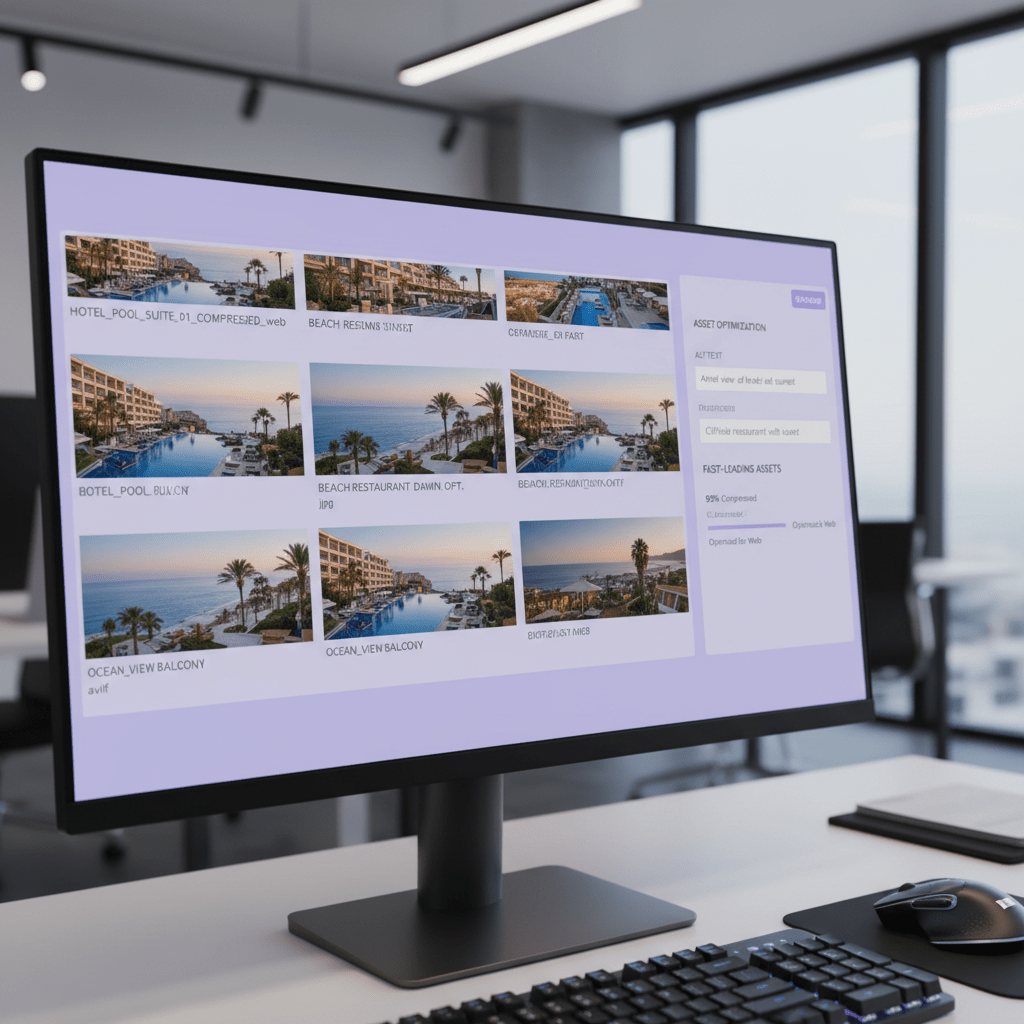
But size alone is not the whole story. A huge photo can look great and still slow your page to a crawl. That’s where compression comes in. Tools like TinyPNG and Squoosh shrink file size while keeping the image looking good. I like this step because it feels like cheating, but the good kind. Less waiting. More browsing.
And if you’re using a hotel channel manager like Ease My Hotel, this gets easier. You can keep your image set organized, then push the same polished files across OTA channels and your own booking site without messy hand edits. That’s a big win for hotel channel manager best practices.
Don’t forget the file name
This one gets ignored all the time.
A file called IMG_8821.jpg tells nobody anything. But deluxe-king-room-ocean-view-miami.jpg gives search engines and your team a clear clue about what the photo shows. That helps with hotel SEO, and it makes your media library way easier to sort later. Tiny detail. Real payoff.
If your channel manager or site builder lets you add alt text, do that too. Keep it plain and honest, like “Deluxe king room with ocean view in Miami.” Not a keyword pile. Just a clean sentence that describes the image.
So if you want to optimize OTA listings without making a mess, start here:
- Shoot in landscape
- Compress before upload
- Use JPG or PNG for OTA listings
- Rename files with plain, useful words
- Add alt text where possible
It’s not flashy. But it works. And in 2026, that’s the whole game.
If you’ve already got strong visuals, the next move is to make them load fast and travel well. That’s how visual content for hotels starts pulling its weight across every channel.
Future-Proofing for 2026: Leveraging Video, 360° Tours, and AI Enhancements
A guest can love your room in 8 seconds. Maybe less. And if your photos are doing all the heavy lifting, you’re leaving money on the table.
That’s why 2026 is pushing hotels past still images. Short video clips, 360° tours, and smart AI tools are getting a bigger seat at the table. Not because they’re flashy. Because they help people trust what they’re booking.
Short video is getting a lot more love
A 30 to 60 second room walk-through can do more than a dozen static photos if it feels real. Show the bed, the view, the bathroom, and one or two nice details. That’s enough. No need for a mini-movie with dramatic music and five slow pans of the minibar. We’ve all seen those. A little much.
Use that same clip on your website, social posts, and listings where video is allowed. And if your channel manager keeps your media in one place, even better. Ease My Hotel helps hotels, hostels, resorts, and homestays keep that content organized without the usual upload mess.
360° tours build trust fast
This part is pretty cool. A 360° tour lets guests feel like they’re walking through the property before they book. They can look around the room, check the layout, and get a feel for the place without guessing.
That kind of view can cut doubt way down. It’s especially handy for suites, family rooms, and event spaces. Tools like Matterport, Kuula, and CloudPano make it easier than it used to be, even if you’re not a tech person.
If you want to improve hotel booking conversion, this is one of the clearest next steps. People who can “see” the stay are usually more ready to book.
AI is starting to help with the polish
And now here’s the part that sounds a little sci-fi, but isn’t really. AI tools are already helping with virtual staging, lighting fixes, color correction, and image cleanup. So if you’ve got an empty room, a flat shot, or a photo that needs a small boost, these tools can help it look more alive.
Could AI also create lifestyle shots that feel real? Yep. Probably. But you still need to be careful. Guests hate fake-looking visuals. So use AI to improve, not to trick.
| 2026 visual trend | What it helps with | Best use case |
|---|---|---|
| Short video | Faster trust | Room tours, amenities, social posts |
| 360° tours | Better room feel | Suites, lobbies, event spaces |
| AI image tools | Cleaner visuals | Lighting fixes, staging, touch-ups |
Here’s the deal. The best hotel channel manager best practices in 2026 won’t stop at rates and room inventory. They’ll include media too. If you can keep visual content for hotels synced, fresh, and easy to update, you’ll be in much better shape than properties still juggling ten different logins.
And if you’re using a platform like Ease My Hotel, this is a nice moment to tighten your workflow. Keep your bookings, OTA content, and media in one place. Then push better visuals everywhere with less stress. That’s how you stay visible, current, and a little ahead of the pack.
From Optimized Images to Maximum Occupancy: Your Path Forward
A hotel listing can look fine on paper and still lose the booking. Weird, right? But that’s how it goes.
The big takeaway here is simple. Visual content for hotels is not a side task. It’s part of your sales plan. Strong photos, clean file sizes, smart naming, and fresh video content for hotel marketing all help you optimize OTA listings and improve hotel booking conversion. And your hotel channel manager is the place that keeps it all from turning into a messy pile of half-updated images.
Think of it like this: the channel manager is your control room. It helps you push the same story across Booking.com, Expedia listing photos, your own site, and every other channel without making guests see different versions of your property. That kind of consistency builds trust fast.
Plus, the numbers are hard to ignore. A TripAdvisor hotel marketing stats report shows photos can drive much higher engagement and booking interest, so this is not a cosmetic fix. It’s a revenue move.
Here’s the part most teams forget: this is not a one-and-done job. Hotels change. Seasons change. Guest tastes change. So set a bi-annual visual content audit on your calendar. Twice a year, check your room photos, image order, file quality, and video assets. Toss old shots. Add fresh ones. Fix anything that feels off.
That’s one of the easiest hotel channel manager best practices for 2026.
If you want a simple next step, start with the basics:
- Review your top OTA listings
- Replace weak or outdated images
- Check photo size and load speed
- Add video content for hotel marketing where you can
- Make sure every channel shows the same brand story
And if you’re using Ease My Hotel, you’ve got a cleaner way to keep all that moving. One dashboard. Less copy-paste. Fewer mistakes. More control over how your property shows up online.
So yes, the work matters. A lot. But it’s also pretty doable once you build the habit. When your visual content for hotels is sharp, synced, and up to date, you’re not just making listings look nicer. You’re giving your property a better shot at more clicks, more trust, and more bookings in 2026 and beyond.
Try Ease My Hotel for free.
No lock-in contracts. Cancel anytime