

Winning Back Your Guests: How Local SEO Is Your Key to Fighting OTAs
Ever look at a booking report and wince a little? Yeah. Us too.
Hotels are paying a lot to get guests back through the door. Booking.com and Expedia often charge commission rates in the 15% to 30% range, and one 2024 hotelier study said a typical hotel could pay over $380,000 a year just in OTA fees. That hurts. A lot. And once a guest books through an OTA, you lose part of the contact, the brand story, and the chance to build a direct relationship.
But here’s the twist. Most guests don’t start by going straight to an OTA. They start with Google. They check maps, the Local Pack, hotel listings, and Google Travel before they even think about clicking “book.” So if your hotel isn’t showing up well in those spots, you’re handing the best guests to someone else.
That’s where local seo for hotels comes in. Not as a fancy tech project. More like a smart way to get more direct bookings, shape how your property looks in search, and keep more money in your pocket.
Structured data helps with that too. It gives Google clearer clues about your hotel, your rooms, your ratings, your location, and even your amenities. In plain words, it helps your site speak Google’s language. That can lead to rich snippets for hotels, better hotel schema markup, and a stronger shot at google hotel search optimization.
Think of it like this: OTA listings rent you visibility. Structured data and local SEO help you earn it.
And if you’re using tools like Ease My Hotel, this gets even easier to manage because your booking data, guest details, and property info can stay more organized in one place. Less mess. More control. Better odds of turning searchers into direct guests.
The good news? You don’t need to be a tech wizard. You just need a solid hotel seo strategy, a clean site, and structured data for hotel websites that tells search engines what makes your property worth picking.

What is Structured Data? Your Hotel’s Digital Translator for Google
Ever wish Google could just get your hotel the first time? No guessing. No weird mix-ups. Just clear info.
That’s pretty much what structured data does. Think of it like a super neat name tag for your property. It tells Google, in plain machine language, “Hey, this is a hotel, here’s where it is, here’s the price range, here are the ratings, and yes, we have free parking.”
The code behind that name tag comes from Schema.org, which gives websites a shared way to label things so search engines can read them fast. Google says structured data helps it understand your page better and makes your page eligible for richer search features like rich results.
And that matters for local seo for hotels. A lot.
Here’s the simple version:
| Standard search result | Rich result for a hotel |
|---|---|
| Blue link and short text | Stars, price range, review count, and sometimes amenities |
| Looks plain | Looks way more useful |
| Easy to skip | Easier to click |
So when your hotel gets rich snippets for hotels, it can stand out more in search. That can help improve hotel google ranking signals in a practical way, since more people notice your listing and click through. More clicks usually means more chances to get more direct bookings instead of losing the guest to an OTA.
And yes, the CTR bump can be real. Some studies show rich snippets can lift click-through rates by up to 35%. That’s a pretty nice win for something that lives in code.
Now, here’s the catch. Structured data doesn’t magically fix everything. It’s more like a clean label on a door. It helps search engines see what’s inside, but you still need a solid hotel seo strategy, good photos, and helpful page content.
For hotels, the usual schema type is Hotel, which sits under LodgingBusiness. You can mark up stuff like your name, address, geo location, check-in time, review count, and amenities. That’s the heart of structured data for hotel websites.
And if you’re using tools like Ease My Hotel, this gets easier because your booking details and property info already live in one place. Less copy-paste chaos. Less “wait, did we update that on every page?” energy.
Actually, wait. There’s a better way to think about it. Structured data is not just code. It’s the part that helps your hotel speak clearly to Google, so your local seo for hotels can do more than just sit there looking pretty.
But don’t stop at the basics. Check your schema, keep your hotel schema markup clean, and make sure your details match what guests see on the page. That’s how technical seo for hospitality starts to pay off.
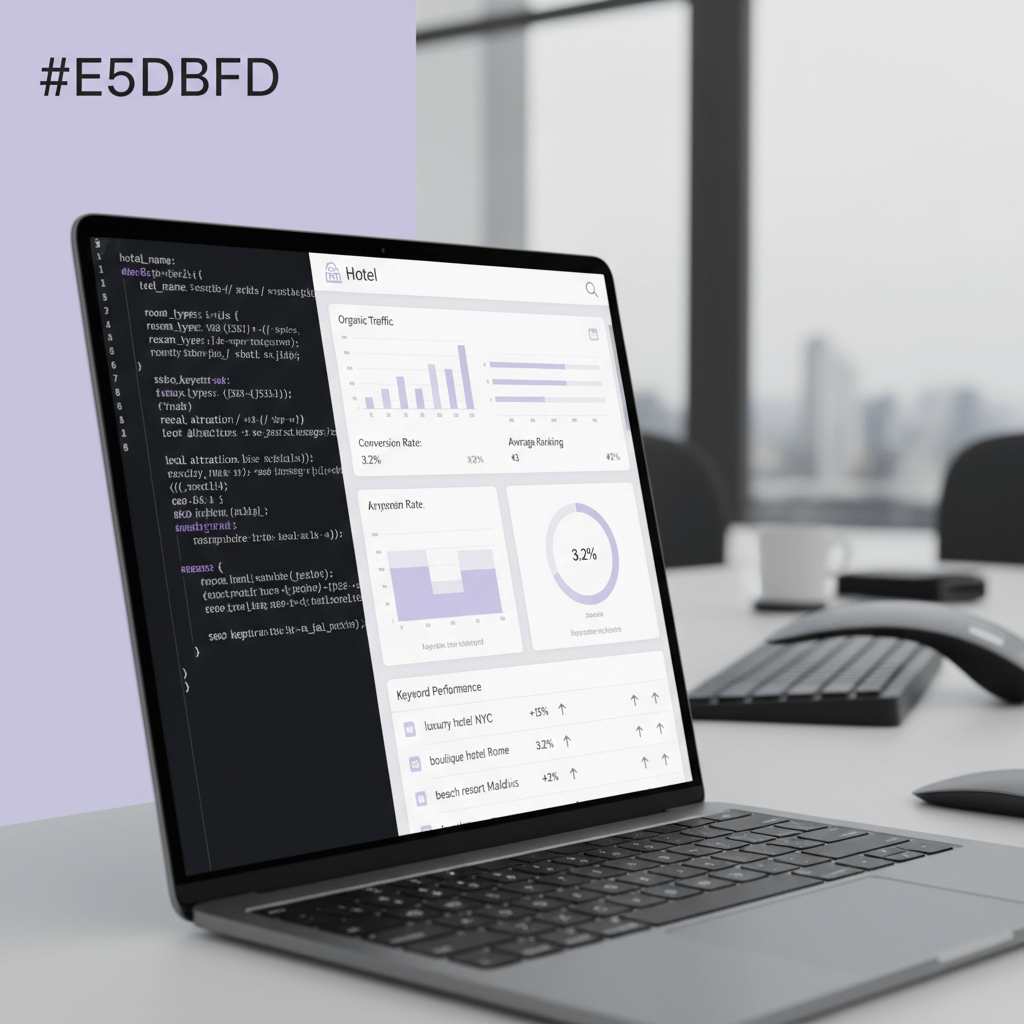
The 5 Essential Schema Markups Every Hotel Website Must Have
You know that tiny moment when a guest is ready to book, but one missing detail sends them back to Google? Yeah. That hurts.
For hotels, schema markup can be the difference between a plain search result and one that actually gets noticed. And if you’re trying to win more direct bookings, that matters a lot. A clean hotel schema markup setup helps Google read your site better, while local seo for hotels helps people nearby find you faster.
Here’s the deal. You do not need every schema type on earth. You just need the right ones, set up well, and matched to what’s really on your site.
1. Hotel or LodgingBusiness Schema
This is your base layer. Your home base. The main label that tells Google, “This is a hotel.”
Use Hotel if you can, since it’s the more specific type under LodgingBusiness. Google and Schema.org both point hotel sites toward this family of schema, and the basics usually include:
nameaddresstelephonephotopriceRangestarRatingpaymentAccepted
You can also add things like geo, checkinTime, checkoutTime, numberOfRooms, and amenityFeature. That’s where structured data for hotel websites starts to feel really useful instead of just sounding fancy.
| Property | What it tells Google |
|---|---|
| name | Your hotel name |
| address | Where you are |
| telephone | How guests can call |
| photo | What the property looks like |
| priceRange | Budget level or rate range |
| starRating | Your official hotel rating |
| paymentAccepted | What you take at checkout |
And yes, keep all of it true. If your page says one thing and your schema says another, Google won’t love that.
2. AggregateRating Schema
This one is a big deal. It can help your listing show star ratings in search, which can make people stop and look. And stop-and-look is half the battle.
But here’s the part people mess up. Those ratings should come from real, first-party reviews. Not made-up stuff. Not inflated numbers from a random widget that scraped somewhere else. Google’s structured data rules are pretty clear about spammy or misleading ratings, and bad markup can get ignored or worse.
A solid AggregateRating setup usually needs:
ratingValuereviewCountbestRatingworstRating- a valid
itemReviewed
If your hotel has honest guest feedback on-site, this is a smart way to support rich snippets for hotels and improve hotel google ranking signals through better click appeal. More trust. More clicks. More chances to get more direct bookings.
3. Offer and AggregateOffer
Now we’re talking rooms. Price. Availability. The stuff guests care about right away.
Offer works well when you’re marking up one room or one rate. AggregateOffer is better when you want to show a range, like different room prices or deals. For hotel seo strategy, this can help Google better understand what you’re selling and may support google hotel search optimization.
A few things to include if they fit your setup:
- room price
- currency
- availability
- booking link
- valid dates
This is also where tools like Ease My Hotel can be handy, because your rates and booking data live in one place instead of getting scattered across five tabs and two spreadsheets (because nothing says “fun” like hunting for the right price at 9:15 p.m.).
4. FAQPage Schema
This one is simple, but it works.
Hotels get the same questions over and over. Parking? Pet policy? Check-in time? Breakfast included? If you’ve answered those on your site, FAQPage schema can help those answers show up more cleanly in search.
It won’t promise a spot in People Also Ask, but it can improve your odds. Plus, it saves your front desk from answering the same question 18 times a day. Win-win.
Good FAQ topics for hotels:
- Is parking free?
- Do you allow pets?
- What time is check-in?
- Is late checkout possible?
- Is breakfast included?
- Do you accept cash or card?
This kind of markup is a quiet helper in technical seo for hospitality. Not flashy. Just useful.
5. Local Business Details That Match Everywhere
This last one isn’t a single schema type, but it’s part of the same job. Your hotel name, address, phone number, and booking details should match everywhere. Site. Google Business Profile. Booking engine. Social pages. All of it.
Why? Because local seo for hotels works best when your business info is steady and easy to trust. If your schema says one thing and your contact page says another, that’s messy. And messy data makes search engines work harder than they should.
A quick checklist:
- same hotel name everywhere
- same phone number everywhere
- same address format everywhere
- same room and rate info where possible
Actually, wait. There’s a better way to say it. Think of your schema like a receptionist who never forgets the details. That’s the goal.
If you want a smoother setup, check your markup in Google’s Rich Results Test, then watch Search Console for issues over time. It usually takes a little patience, but the payoff can be real.
And if you’re trying to keep bookings moving without drowning in manual updates, a platform like Ease My Hotel can help your team keep property data, room info, and guest messages in one place. Less chaos. Better control.
Want the next step? Start with your hotel schema markup, then add AggregateRating, Offer, and FAQPage one by one. Small wins. Real progress.
Try Ease My Hotel for free.
No lock-in contracts. Cancel anytime
How to Add Hotel Schema to Your Website: A 3-Step Practical Guide
You know that moment when a guest is this close to booking, and then… they bounce? That tiny wobble can cost a stay. Or ten.
The good news is that adding hotel schema markup doesn’t have to feel like a coding marathon. You can break it into three clean steps: check your info, add the code, and test it before it goes live. That’s it. Nice and plain.
And yes, this matters for local seo for hotels. Structured data helps Google read your hotel page with less guesswork, which can support rich snippets for hotels, better hotel visibility, and more chances to get more direct bookings instead of losing them to OTAs.
Step 1: Do the audit first
Before you touch any code, gather the real facts about your property. I mean the stuff guests actually care about. No fluff.
Make a simple list:
- hotel name
- full address
- phone number
- check-in time
- check-out time
- room types
- room prices
- currency
- parking details
- pet policy
- breakfast info
- high-res photos
- amenities like pool, Wi-Fi, spa, or EV charging
If you’re using Ease My Hotel, this part gets a lot less messy because your booking details, room info, and guest data already live in one place. Less copy-paste. Fewer “wait, which price is right?” moments.
Also check your site pages. Your homepage, room pages, and contact page should all say the same thing. Same address. Same phone. Same name. Search engines hate mixed signals. People do too, honestly.
A quick audit table can help:
| Item | Where to check |
|---|---|
| Name | Website header, Google Business Profile |
| Address | Contact page, footer, schema |
| Room prices | Booking engine, room pages |
| Amenities | Property page, FAQ page |
| Photos | Homepage, room gallery |
| Check-in/out times | Booking page, FAQs |
This is the boring part. But it saves headaches later.
Step 2: Pick the way you want to add the code
Here’s where people usually get stuck. But you’ve got three solid paths, and each one fits a different kind of team.
Option 1: Use a WordPress plugin
If your hotel site runs on WordPress, this is usually the easiest route. Plugins like Rank Math, AIOSEO, Schema Pro, or hotel booking tools with built-in schema can add structured data without much manual work.
Why people like it:
- fast setup
- less code
- good for smaller teams
- easier to update later
Watch out for:
- duplicate schema from more than one plugin
- missing fields like geo or numberOfRooms
- plugin settings that don’t match your live page
This is a nice fit if your team wants hotel schema markup without hiring a developer for every small change.
Option 2: Use Google’s Markup Helper
Google’s Markup Helper gives you a guided way to tag page parts. You highlight the hotel name, address, room prices, and so on, and it helps build the markup for you.
Why people like it:
- beginner friendly
- good for learning what structured data for hotel websites looks like
- less scary than starting from scratch
Watch out for:
- it’s still a bit manual
- not as flexible for complex sites
- you may still need someone to paste the code into your site
This works well if you want a hands-on start before going deeper into technical seo for hospitality.
Option 3: Write manual JSON-LD
This gives you the most control. A developer writes the JSON-LD directly into the page, usually in the <head> or near the page body.
Why people like it:
- full control
- cleaner for custom hotel websites
- easier to fine-tune Hotel, Offer, FAQPage, and AggregateRating data
Watch out for:
- more room for errors
- needs someone who knows JSON-LD
- updates take more care
This is often the best choice for bigger properties, hotel chains, or teams that want tight control over google hotel search optimization.
A simple comparison:
| Method | Best for | Main benefit | Main risk |
|---|---|---|---|
| Plugin | WordPress users | Fast setup | Duplicate markup |
| Markup Helper | Beginners | Easy tagging | Less flexible |
| Manual JSON-LD | Developers | Full control | Syntax mistakes |
If you’re not sure which path to take, start with the simplest one your team can keep up with. Fancy is nice. Reliable is better.
Step 3: Test it before you hit publish
This part saves lives. Well, not lives. But definitely time, money, and a few gray hairs.
Before launch, run your markup through two Google tools:
- Rich Results Test
- Schema Markup Validator
The first one checks whether your page can qualify for rich results. The second checks if the code is built right.
Look for common problems like:
- missing
name,address, orgeo - bad JSON-LD syntax
- duplicate schema from two plugins
- ratings that don’t match the page
- hotel details that are different from your live site
And if you’re adding AggregateRating, make sure it comes from real guest reviews. No fake stars. No made-up numbers. Google’s rules are pretty clear on misleading markup, and bad data can sink the whole thing.
Once the code passes, keep an eye on Search Console. Structured data changes don’t always show up overnight. Sometimes they take a few days. Sometimes longer. Patience, sadly, is part of the deal.
A practical flow looks like this:
- collect your hotel info
- choose your method
- build the schema
- test it in both tools
- fix errors
- publish
- check Search Console later
That’s the whole game. Clean info. Clean code. Clean testing.
And if your hotel team is already juggling bookings, guest messages, OTA updates, and staff tasks, a platform like Ease My Hotel can help keep the property data steady while you work on your local seo for hotels. Less scrambling. More control. Better odds of turning searchers into guests.
Small steps help here. Start with one page, usually your homepage or main booking page. Then add schema to room pages and FAQs next. That way you’re not trying to fix the whole site in one wild afternoon.

Advanced Tactics: Using Structured Data to Outrank Competitors
You know that feeling when two hotels sit on the same street, but one keeps getting the clicks? It’s usually not luck. It’s the little signals.
And with local seo for hotels, those little signals can add up fast. If you already have hotel schema markup in place, the next move is to get more specific. That’s where advanced structured data for hotel websites starts to pull its weight.
Tell Google more about your amenities
A basic listing says you have a pool. Nice. But a better one says you have a pool with waterslide, an EV charging station, or pet-friendly rooms. That’s not just extra detail. It helps guests find you for the stuff they actually want.
The amenityFeature field lets you list these perks in a way Google can read clearly. It uses LocationFeatureSpecification entries, so you can mark up things like pool, EV charging station, free parking, pet-friendly rooms, spa, sauna, and Wi-Fi.
This matters for google hotel search optimization because people often search by need, not by brand. They type things like hotel near me with EV charging or pet-friendly hotel in Austin. If your page spells that out, you have a better shot at showing up.
This kind of detail also helps your hotel seo strategy feel more human. Real guests don’t care about code. They care about the pool slide, the dog policy, and whether their car can charge overnight.
Don’t skip Event schema
If your hotel hosts weddings, conferences, holiday parties, or local festivals, use Event schema too. It can help those events show up in search and bring in a totally different crowd.
Think about it. A couple planning a wedding venue search is not the same person booking a standard weekend stay. Same building. Different need.
Event schema can support pages for wedding receptions, business conferences, live music nights, seasonal brunches, and community events.
And if your hotel is in a city like Nashville, Orlando, or New Orleans, this can be a smart way to get more direct bookings from people looking for the event first and the room second. That’s a useful move for technical seo for hospitality.
Add action-based schema for the future
Now, this part is a bit forward-looking. But it’s worth setting up.
CheckInAction and CheckOutAction are action-oriented schema types that help describe what guests can do on your site. They’re not magic buttons. More like signals that tell search systems your site is ready for booking flow ideas, voice search, and other Google features that keep changing shape.
If someone asks a phone what time they can check in at the hotel, clean action data helps paint a clearer picture. It won’t solve everything, but it gives your site a better shot at being understood.
Here’s the short version. The amenityFeature type shows specific hotel perks. The Event type promotes weddings, conferences, and local events. CheckInAction describes check-in actions for search systems. CheckOutAction describes check-out actions for search systems.
These advanced pieces won’t replace your basics. You still need clean LodgingBusiness schema, honest ratings, and matching contact details. But they can give you a little edge, and in hotel search, small edges matter.
One more thing. Keep your markup tied to real page content. Google’s structured data docs say schema helps it understand your page more clearly, and rich results can make listings more clickable, but misleading markup can get ignored or disapproved.
If you want less manual work while you update amenities, event pages, and room details, a platform like Ease My Hotel can help keep your property data in one place. That makes it easier to keep your schema and your site in sync. Less chaos. More control. Better odds of getting more direct bookings.
Start with one upgrade this week. Add amenity Feature to your top rooms, then build one Event page if your hotel hosts functions. Small move. Big ripple.
Measuring Success: How to Track the ROI of Your Schema Implementation
You know that nice little rush when a booking comes in directly? That’s the moment you want more of. Not just because it feels good. Because it keeps more money in your pocket.
So how do you know if your local seo for hotels and schema work is paying off? You track it. Plain and simple. If you don’t check the numbers, you’re basically guessing, and guessing gets pricey fast when OTA commissions can run from 15% to 30%.
Start with Google Search Console. Open the Performance report, then look at clicks, impressions, and click-through rate for your hotel pages. After that, use the Search Appearance filter to see if your pages are showing as rich results or FAQ results. That helps you spot if your hotel schema markup is doing its job. If clicks rise after you add structured data for hotel websites, that’s a real clue that your setup is helping people notice you more.
Here’s a simple before-and-after view you can use:
| Metric | Before schema | After schema |
|---|---|---|
| CTR from organic search | Track baseline | Look for lift |
| Impressions | Track baseline | See if visibility grows |
| Bounce rate | Check key landing pages | Watch for drops |
| Direct bookings | Count monthly | Compare month over month |
But Search Console only tells part of the story. You also want to know if more clicks turn into real bookings. That’s where UTM parameters come in. Add them to your Book Now buttons, then cross-check the traffic in Google Analytics. If organic visits go up and direct booking conversions rise too, you’re looking at a better return on your hotel seo strategy.
A simple setup might look like this:
utm_source=googleutm_medium=organicutm_campaign=hotel_schema
Then watch the booking path. If people land on your room page, stay a bit longer, and book more often, that’s a good sign. If they bounce fast, maybe the page needs clearer room info, stronger photos, or a cleaner booking flow. Weirdly enough, schema can bring people in, but the page still has to do the selling.
Also keep an eye on the big three after you launch:
- CTR from organic search
- Bounce rate on key landing pages
- Volume of direct bookings
That last one matters most. Rich snippets for hotels, better local search visibility, and stronger google hotel search optimization are nice, but they only matter if they help you get more direct bookings.
And here’s the real talk. Results don’t always show up overnight. Sometimes you’ll see changes in a few days. Sometimes it takes weeks or even a full month before the pattern is clear. So compare month over month, not just one random Tuesday.
If your hotel team uses Ease My Hotel, tracking can get a lot easier because booking data, guest details, and property info stay in one place. Less spreadsheet chasing. More time to see what’s working.
So, if you want a quick next step, do this today: open Search Console, check your Performance report, and set up UTM tags on your main booking buttons. Small move. Big signal.
Your Next Step: From Clicks to Check-Ins
So here’s the plain truth. Structured data can help your hotel show richer search results, which can boost local seo for hotels, bring in better traffic, and help you get more direct bookings. But it’s not a one-and-done fix. It works best when you keep testing, checking, and cleaning up the details over time.
That’s the part a lot of teams skip. They add hotel schema markup once, then forget about it. And then a room price changes, or the address gets edited, or the FAQ page grows stale. Tiny stuff. Big mess.
A better way is simple: treat structured data for hotel websites like regular upkeep. Check it, fix it, and test it again. That’s how you slowly improve hotel google ranking signals and keep your hotel seo strategy moving in the right direction.
Your first step today is to run your hotel’s homepage through Google’s Rich Results Test. See what Google sees now, and identify your biggest opportunity for improvement.
Try Ease My Hotel for free.
No lock-in contracts. Cancel anytime