
Why Your Hotel’s Bottom Line Depends on More Than Just QuickBooks
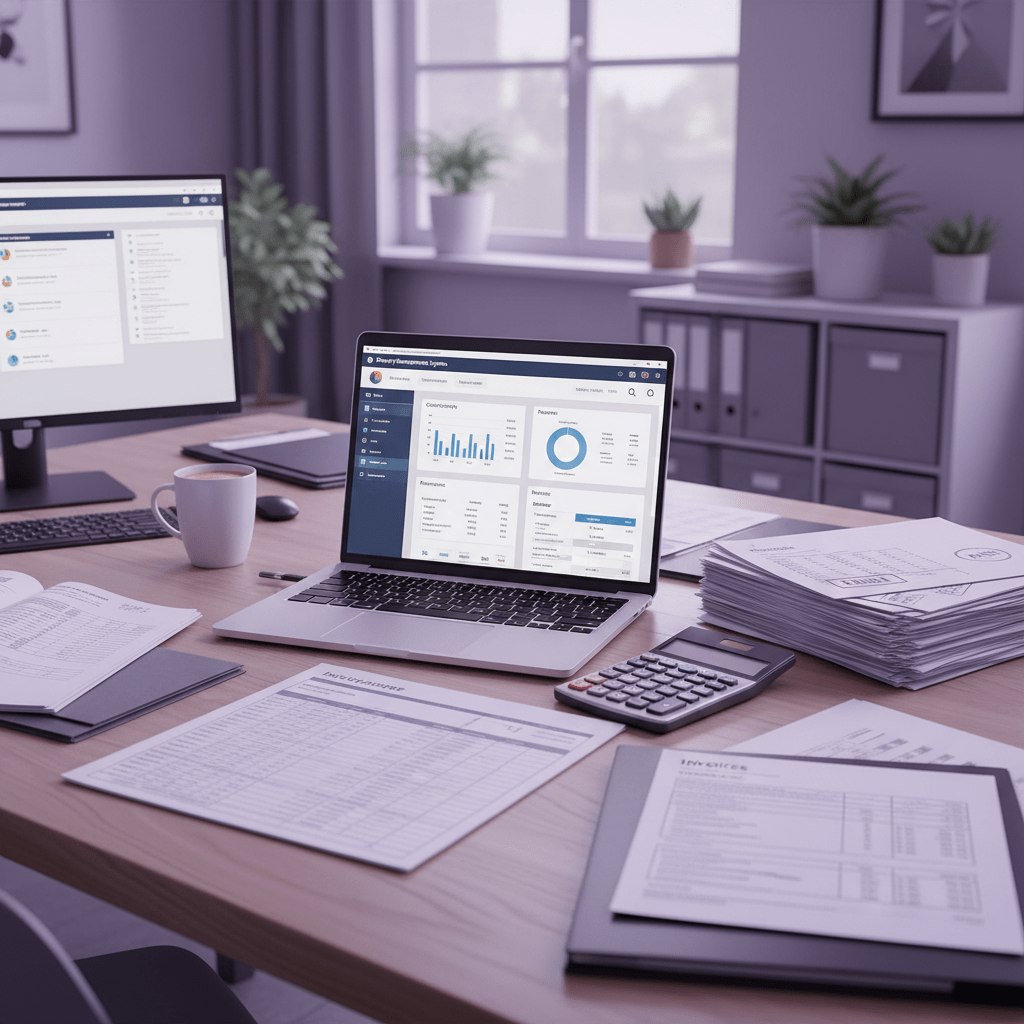
Ever tried to close the books after a busy weekend at a hotel and restaurant, then found three different spreadsheets, a stack of invoices, and a PMS report that does not quite match the bank feed? Yeah. That mess gets old fast.
And it is not just annoying. Hotels and restaurants handle money in a way that generic tools often trip over. You have room revenue, food and drink sales, occupancy taxes, supplier bills, payroll, and daily revenue streams coming in from more than one place. One survey found that over 60% of independent hoteliers say financial management is their biggest pain point, and mid-sized properties can spend 15 to 25 hours a month just on manual reconciliation hotel accounting software research.
That is a lot of time spent chasing numbers instead of reading them.
The thing is, hospitality accounting is not just bookkeeping. It needs departmental P&Ls, occupancy tax tracking, owner reports, and clean links between your PMS and POS. If your system cannot keep up, you get more manual entry, more mistakes, and a whole lot of late-night fixing. Not fun.
So in this guide, we will break down how to pick the best accounting software for hotels and restaurants, what features to look for, and how to spot a setup that actually fits hospitality work. We will also look at cloud accounting for hospitality, hotel PMS accounting integration, and the features of hotel accounting software that can save time and cut stress. If you want a clearer path to better hotel financial management software, you are in the right place.
If you are looking for one system that brings bookings, guest data, and accounting together, tools like Ease My Hotel can also help centralize daily work for hotels, resorts, hostels, and homestays. That kind of setup can make a big difference when your team is tired and the lobby is still buzzing.
The Unique Financial DNA of Hospitality: What Generic Software Misses
Ever notice how a hotel can look calm at 2 p.m., then turn into a small storm by 11 p.m.? Check-ins, dinner rush, room charges, spa sales, taxes, refunds… it all stacks up fast.
That is exactly why accounting software for hotels and restaurants needs its own playbook. Generic tools can sort bills and bank feeds, sure. But hospitality money has its own shape, and that shape matters.
Why USALI matters so much
A lot of hotel teams use the Uniform System of Accounts for the Lodging Industry or USALI as their guide. And honestly, that makes sense. USALI gives hotels a common way to track revenue and costs, so one property can be compared with another without a mess of custom labels and odd reports.
It breaks results into clear areas like rooms, food and beverage, spa, and other revenue centers. That helps owners and managers see what is really earning money. Not just total sales. Actual performance.
Generic accounting systems usually miss that structure. So the finance team ends up mapping accounts by hand, fixing mislabeled expenses, and rebuilding reports after the fact. That is slow. And kind of annoying.
Why departmental accounting is a big deal
Hotels and restaurants do not run on one revenue stream. A guest might book a room, order room service, use the spa, and grab drinks at the bar. A restaurant inside the hotel may also need its own books, labor numbers, and food cost tracking.
Here is the thing: each department tells a different story.
| Revenue center | What it tracks | Why it matters |
| Rooms | Occupancy, ADR, room revenue | Shows core hotel income |
| Food and beverage | Restaurant, bar, banquet sales | Helps spot menu and labor issues |
| Spa | Treatments, retail, packages | Shows wellness income clearly |
| Other income | Parking, laundry, fees | Keeps smaller revenue visible |
If your software cannot split those pieces cleanly, you lose the real picture. That makes hotel financial management software much more useful than a basic ledger. It also helps with restaurant bookkeeping solutions, especially in properties where food and lodging both matter.
The daily chores generic software struggles with
A hotel finance team does more than month-end reports. There is the night audit, daily sales reporting, and city or occupancy taxes to manage. Those tasks move fast, and they need clean, repeatable steps.
Night audit automation is a good example. When the system can post daily revenue from the PMS, match sales by department, and flag odd numbers before morning, the whole team breathes easier. No more hunting through three files before coffee.
And taxes? That part gets messy fast. Different cities have different occupancy rules, transient tax rates, and exempt charges. A basic system might not know how to separate taxable room revenue from non-taxable package items. That can create filing errors, audit headaches, and surprise penalties.
So if you are comparing the best accounting system for hotels, look past the surface. Ask whether it supports hotel PMS accounting integration, USALI-style reports, and real daily posting. Those features of hotel accounting software are what keep the books honest.
For hotels that want one place to manage bookings, guest data, and back-office work, Ease My Hotel can help bring operations together in a cloud-based setup. And if your team is tired of fixing the same report twice, that kind of setup can feel like a relief.
7 Must-Have Features in Modern Hotel & Restaurant Accounting Software
1) Seamless PMS and POS Integration
You know that sinking feeling when the front desk says one number, the restaurant says another, and accounting is stuck trying to make them agree? Yeah. That’s exactly where good accounting software for hotels and restaurants starts to pay off.
The best setup pulls data straight from your PMS and POS into the back office with almost no hand work. Room charges, bar tabs, spa sales, refunds, and tax info all move together. That means less copying, less fixing, and fewer weird surprises at month-end.
And honestly, that alone can save hours every day. A lot of hotels still spend 15 to 25 hours a month on manual reconciliation, and some finance teams spend nearly a third of the week re-entering data instead of looking at it hotel accounting software research.
What to look for
- Auto-posting from PMS to accounting
- POS sales sync for food and drink
- Clean chart of account mapping
- Night audit automation
- Real-time error flags
If your team is still exporting CSV files like it’s 2009, it might be time for a better fit. Cloud accounting for hospitality should feel calm, not chaotic.
2) Advanced Reporting and Business Intelligence
A pretty dashboard is nice. But a useful one? That’s the real deal.
Hotel financial management software should give you fast views of the numbers that matter most. For a GM, that usually means occupancy, ADR, RevPAR, total revenue, payroll percent, and food cost percent. For a CFO, it’s more about GOPPAR, departmental P&Ls, budget-vs-actual gaps, cash flow, and AR/AP aging.
That split matters because different people need different answers. A front-line manager wants to know why Tuesday looked soft. An owner wants to know why labor ran hot for three straight weekends. Same data. Different lens.
Also, the software should let you build custom reports without begging the vendor every time you want a new view. That’s a big deal when you’re checking trends before a morning meeting or sending owner updates on Friday.
Good dashboard features
| Feature | Why it helps |
| Daily revenue report | Keeps leaders on top of cash flow |
| Budget vs actual view | Shows where money drifted |
| Department reports | Makes rooms, F&B, and spa easy to track |
| KPI widgets | Surfaces ADR, RevPAR, GOPPAR fast |
| Export tools | Makes owner reporting less painful |
And if your hotel runs a restaurant too, restaurant bookkeeping solutions should tie right into those same reports. No extra scavenger hunt.
3) Multi-Property and Intercompany Tools
If you manage one property, life is busy. If you manage three or ten, things can get messy fast.
That’s why the best accounting system for hotels needs strong multi-property support. You should be able to see one hotel, all hotels, or just a slice of the business without rebuilding reports by hand every time. Consolidated reporting saves a ton of time, especially for hotel groups that want quick side-by-side comparisons.
Intercompany features help when one property bills another for shared costs, management fees, or transfers. Without that, you end up with messy books and way too many correction entries. Been there. Not fun.
This is also where cloud-based tools shine. With the right hotel PMS accounting integration, a controller can check portfolio numbers from one screen, even if the properties use different teams or different daily rhythms.
Multi-property features worth asking about
- Consolidated financial reports
- Intercompany billing and transfers
- Shared chart of accounts
- Property-by-property comparison dashboards
- Role-based access for each location
For growing hotel chains, this is where hospitality accounting software stops being “nice to have” and starts feeling like the only sane choice. And if you’re looking for a single place to handle bookings, guest communication, POS, HRM, and accounting, a platform like Ease My Hotel can help bring those moving parts together in one cloud-based dashboard.
4) USALI-Ready Reporting
Here’s the thing though: hotel accounting is not just about totals. It’s about structure.
Software built for hospitality should follow USALI-style reporting so rooms, food and beverage, spa, and other income lines stay clear. That helps you compare properties, spot weak departments, and keep owner reports clean. Generic tools can do parts of this, but they usually need lots of manual mapping. And that’s where mistakes creep in.
Actually, wait – there’s a better way to say it. If the software doesn’t speak hospitality, your team ends up translating all day.
5) Easy Tax Tracking
Occupancy tax. Transient tax. City tax. State tax. Fun stuff, right?
A good system should separate taxable and non-taxable items without turning every close into a puzzle. This matters a lot for package deals, room bundles, and mixed invoices. One wrong setup can lead to bad filings, audit stress, and penalty risk.
6) Strong Role Controls and Approval Workflows
Not everyone needs to touch everything.
That sounds simple, but it saves a lot of headaches. Front desk staff, managers, accountants, and owners usually need different access levels. Role controls help keep data safe and reduce accidental edits. Approval workflows also help with bills, refunds, and journal entries, so nothing slips through because someone was rushing before lunch.
7) Cloud Access That Actually Works for Busy Teams
OK, this next part is pretty cool. Real cloud accounting for hospitality means your team can log in from anywhere and still see the same live numbers. Not a stale copy. Not yesterday’s file. The same current data.
That helps when a controller is off-site, a GM is traveling, or an owner wants a quick update without waiting for an email thread to finish. It also makes training and support easier, since updates happen in one place.
Quick feature checklist
| Must-have feature | Why it matters |
| PMS/POS sync | Cuts manual entry |
| Daily dashboards | Speeds up decisions |
| Multi-property tools | Helps hotel groups grow |
| USALI reporting | Keeps hospitality books clear |
| Tax tracking | Reduces filing mistakes |
| Role-based access | Protects sensitive data |
| True cloud access | Supports work from anywhere |
If you’re comparing the best accounting system for hotels, start here. The software should fit how hospitality really works, not how a generic ledger wishes it worked. And if your team wants one platform that ties together operations, bookings, and accounting, Ease My Hotel is worth a look.
Comparative Analysis: Top Hospitality Accounting Software in 2026
Choosing the right hotel accounting software can feel a little like picking a new kitchen knife. They all look fine at first. But the wrong one slows you down fast.
So let’s keep this simple. If you run a hotel, restaurant, or both, you want software that fits how hospitality money really moves. That means clean PMS and POS links, solid reporting, easy tax handling, and support for multi-property work if you have more than one site.
Below is a practical look at four well-known options in 2024: M3, Aptech PVNG, Oracle NetSuite for Hospitality, and Nimble Property. I’ll also point out where Ease My Hotel fits for teams that want a more all-in-one cloud setup.
Quick comparison table
| Software | Best for | Main strengths | Watch out for |
| M3 | Independent hotels, small chains, and growing groups | Strong hospitality reporting, multi-property tools, good support | UI can feel dated in some areas |
| Aptech PVNG | Larger hotels and enterprise teams | Deep budgeting, forecasting, and portfolio reporting | Setup can be heavy |
| Oracle NetSuite for Hospitality | Big operators that want ERP depth | Broad finance tools, strong scale, good for complex groups | Higher cost and more customization |
| Nimble Property | Independent and boutique hotels | Cloud-native, easy to use, affordable feel | Better for smaller teams than huge portfolios |
M3: strong fit for hotel finance teams
M3 gets a lot of attention from hotel controllers, and for good reason. It’s built for hospitality, not bolted on later like some generic accounting tools. That matters a lot if your team is tired of fixing reports by hand.
M3 tends to work best for independent hotels, small chains, and property groups that want room-by-room and department-by-department visibility without a lot of extra mess. Its big strengths are hospitality reporting, multi-property consolidation, and support that users often call helpful and responsive. Review sites like G2 and Capterra commonly rate it around 4.4 to 4.6 out of 5, which is pretty solid.
It also connects with systems many hotel teams already use, like Opera, Maestro, Springer-Miller, and several POS tools. That makes hotel PMS accounting integration easier to manage.
But it’s not perfect. Some users say the interface feels old in places, and the learning curve can be a bit steep if your team is brand new to hospitality accounting software. Still, if your priority is a hotel financial management software built for daily operational reporting, M3 is usually near the top of the list.
Best for
- Independent hotels
- Small to mid-size hotel groups
- Teams that want strong USALI-style reporting
Pricing style
M3 does not usually advertise simple flat pricing the way small-business tools do. It’s more of a quote-based setup, which makes sense for a hotel system that may need reporting, integrations, and support bundled in.
Aptech PVNG: built for larger hotel groups
Aptech PVNG is a more enterprise-focused option. If M3 feels like a strong hotel-first tool, PVNG feels like it was made for bigger finance teams that need deeper budgeting and portfolio views.
Its strengths usually show up in multi-property analytics, forecasting, and planning. That makes it a good match for branded hotels or groups with a lot of moving parts. It’s the kind of system a CFO may like more than a front desk manager does, which is not a bad thing. Different jobs, different needs.
Review themes across industry sites often land around 4.3 to 4.5 out of 5. People like its depth, but they also mention that implementation can take time and that training matters a lot. I’ve seen this pattern with a lot of enterprise hospitality accounting software: the power is there, but you have to put in the work to get it running cleanly.
Aptech also integrates with Opera and other legacy PMS platforms, which helps larger hotel setups keep books aligned with operations.
Best for
- Larger hotel groups
- Finance teams that live in budgets and forecasts
- Properties that want detailed portfolio reporting
Pricing style
PVNG is usually sold through custom quotes. That’s pretty normal for this tier. You’re paying for deeper planning tools and more hands-on setup.
Oracle NetSuite for Hospitality: broad finance power
NetSuite is a big name, and it shows. It’s not just hotel accounting software. It’s a wider ERP platform that can handle finance, purchasing, approvals, and more across a large business.
That’s great if your hotel group has a lot of departments or if you want one system to connect many parts of the business. It scales well, and that’s a big plus for larger operators. Oracle also has a strong hospitality push, especially for groups already using Oracle OPERA Cloud.
User ratings often sit around 4.0 to 4.2 out of 5 on review platforms. People like the flexibility and scale. But they also bring up cost and the need for hospitality-specific setup. In plain terms, it can do a lot, but it may ask a lot back from your team too.
NetSuite is usually not the first pick for a small inn or a 20-room boutique hotel. But for a larger hotel brand that wants broader business control, it can make sense.
Best for
- Large hotel groups
- Businesses that want ERP features beyond accounting
- Teams already deep in Oracle tools
Pricing style
NetSuite is quote-based and often lands in the higher-cost range. You’ll want to budget for setup, customization, and training too.
Nimble Property: clean and friendly for independents
Nimble Property is a newer-style cloud tool that gets a lot of love from independent and boutique hotels. It’s built in the cloud, so it feels more modern and lighter than older server-based systems.
That can be a relief, honestly. Nobody wants to wrestle with clunky software at 8:30 a.m. while guests are asking about checkout and breakfast.
Nimble scores well on HotelTechReport, often around 4.5 to 4.7 out of 5, and reviews usually mention ease of use, affordability, and smooth daily revenue posting. It also connects with systems like Cloudbeds, Mews, WebRezPro, and Toast POS, which makes it a nice fit for smaller hotel teams that want cloud accounting for hospitality without a heavy setup.
Its main strength is simplicity. It’s not trying to be the biggest platform in the room. It tries to be the easiest one to live with.
Best for
- Independent hotels
- Boutiques and small chains
- Teams that want true cloud access and less setup stress
Pricing style
Nimble is usually easier on budget than enterprise platforms, though exact pricing still depends on your property size and setup.
Side-by-side: how they stack up on the must-haves
Here’s a plain-English look at how these tools match the key features hotel finance teams ask for most.
| Must-have feature | M3 | Aptech PVNG | Oracle NetSuite | Nimble Property |
| PMS integration | Strong | Strong | Strong, but setup can vary | Strong with modern PMS tools |
| POS integration | Yes | Yes | Yes | Yes |
| USALI-style reporting | Strong | Strong | Can be built with setup | Good for smaller teams |
| Multi-property support | Very good | Excellent | Excellent | Good for smaller groups |
| Daily dashboards | Yes | Yes | Yes | Yes |
| Mobile access | Available | Available | Available | Cloud-first access |
| Role controls | Yes | Yes | Yes | Yes |
| Night audit automation | Supported | Supported | Possible with setup | Supported in simpler workflows |
| Ease of use | Medium | Medium to hard | Medium to hard | Easy |
So what does this mean in real life?
- If you need deep hotel reporting and strong daily ops support, M3 is often a safe bet.
- If you run a bigger portfolio and live in forecasts, Aptech PVNG has a lot to offer.
- If your hotel business needs broader ERP power, NetSuite may be worth the higher lift.
- If you’re an independent hotel or boutique group that wants simple cloud work, Nimble Property looks appealing.
What users tend to say across review sites
The reviews tell a pretty clear story.
M3 users usually talk about reliable hospitality reporting and good support, but they also mention the interface could use a refresh. Aptech users like the depth of the platform, yet implementation gets called out a lot. NetSuite users respect the scale, but many say it takes time and money to shape it for hotel work. Nimble gets praised for being easy to use and cloud-native, especially by smaller properties that want less friction and faster setup.
That lines up with what we see across hotel accounting software buying decisions. Big groups need depth. Smaller teams need speed and clarity. And if you pick the wrong one, you’ll feel it every month when close time drags on and everyone’s grumpy.
A quick note on integration headaches
This part gets ignored too often. A fancy dashboard won’t help if your PMS, POS, and accounting system don’t speak the same language.
The most common trouble spots are mismatched account names, slow syncs, and patchwork API links. If you’re comparing the best accounting system for hotels, ask vendors very direct questions: Which PMS tools do you support? How often does data sync? What happens when a charge is edited after night audit?
Also, if your property wants one place to manage bookings, guest communication, restaurant work, HRM, and accounting, Ease My Hotel can be worth a look. It brings a cloud-based approach to hotels, hostels, resorts, homestays, and property chains that want more control without bouncing between five separate tools.
Which one should you choose?
Here’s the short version.
- Pick M3 if you want hospitality-first reporting and a proven fit for hotel finance teams.
- Pick Aptech PVNG if you need deep planning, budgets, and portfolio-level control.
- Pick Oracle NetSuite if your business is large and you need ERP-scale finance tools.
- Pick Nimble Property if you want a cleaner cloud experience for an independent or boutique property.
And if your team wants a broader hotel operations platform, not just accounting, Ease My Hotel can help connect the dots across bookings, guest communication, restaurant work, and back-office tasks.
That might be the real win. Not just better books. Better days.
The Integration Equation: Aligning Your Accounting Software with Your Tech Stack
You know that messy moment when the PMS says one thing, the POS says another, and your accountant just stares at the screen like, “Cool… so which number is real?” Yeah. That’s the whole integration problem in one tiny scene.
Accounting software for hotels and restaurants does not live on its own island. It has to talk to your PMS, your POS, your procurement tools, and sometimes even your payroll system. If those pieces do not line up, you get duplicate entries, missed charges, and way too much manual cleanup.
And that cleanup is not small. Research on hospitality teams shows many independent hotels still lean on spreadsheets or generic tools, while mid-sized properties can spend 15 to 25 hours a month just matching reports and bank feeds. Some finance teams lose nearly 30% of the work week to data re-entry and checks instead of looking at the numbers.
Map the flow before you buy
Before you sign anything, ask a simple question: where does each number start, and where does it end up?
A clean hotel accounting setup usually looks like this:
| Source system | What it sends | Where it should land |
| PMS | Room revenue, folios, taxes, guest charges | Hotel financial management software |
| POS | Restaurant sales, bar tabs, comps, refunds | Department reports and GL accounts |
| Procurement system | Vendor bills, inventory costs, purchase orders | AP and expense tracking |
| Payroll or HRM | Labor costs, shifts, benefits | Labor reports and department P&Ls |
If the path is clear, the books stay cleaner. If it is fuzzy, your team ends up doing the digital version of babysitting receipts. Not fun.
Native integrations, API links, and manual imports are not the same
This part trips people up a lot.
Native integration usually means the systems are built to connect from the start. Data moves in a more natural way, with less setup and fewer weird workarounds. That’s usually the smoothest path for hotel PMS accounting integration.
API-based connections can work really well too, but they often need more setup and testing. They can be flexible, which is great, but they depend on how well the vendors keep their systems talking to each other.
Manual imports are the old-school option. Export a file. Clean it up. Upload it. Cross your fingers. It works, sort of, but it’s slower and easier to mess up.
Here’s the plain truth: the less hand work you do, the fewer mistakes you make. And the faster your close gets. Hotels that move to specialized hospitality accounting software often cut month-end close time by 40 to 60%, which can turn a painful 10 to 12 day close into something more like 4 to 6 days.
Questions to ask vendors
If a vendor says their integration is “easy,” smile and keep asking. Politely. But keep asking.
Try these:
- Does the PMS sync in real time, or only once a day?
- Can the POS push sales by outlet, like bar, restaurant, and banquets?
- What happens if a charge changes after night audit?
- Do you support USALI-style chart of accounts mapping?
- Can we see failed syncs and fix them fast?
- Is this a true cloud platform, or just cloud-hosted old software?
- What systems are on your roadmap for the next 12 months?
- Who handles setup, testing, and staff training?
That last one matters a lot. A good rollout is not just software. It’s people, timing, and a clear owner on your side.
Why a single source of truth matters
A single source of truth sounds a little fancy, I know. But the idea is simple.
When your PMS, POS, and accounting platform all feed one clean record, your GM and CFO can trust the same numbers. No more arguing over which report is “right.” No more three versions of last night’s revenue. Just one set of books that everyone can read.
That matters for daily decisions too. A GM might want occupancy, ADR, RevPAR, labor percent, and food cost percent. A CFO may care more about GOPPAR, budget vs. actual, AR/AP aging, and portfolio results. The data can be the same, but the view should change by role.
And if you’re building a system that can grow with you, that single source of truth becomes even more useful. That’s one reason platforms like Ease My Hotel can be a smart fit for hotels, resorts, hostels, homestays, and property chains that want bookings, guest communication, restaurant work, HRM, and accounting in one place.
Actually, wait – one more thing. Ask about implementation too. For a 150-room property, a realistic rollout often takes 60 to 120 days, with time for chart mapping, testing, training, and a little hypercare after go-live. That’s normal. Rushing it usually causes more pain later.
If your tech stack is already a patchwork, that’s OK. We’ve all seen it. But the goal is pretty clear: fewer handoffs, cleaner data, and accounting software for hotels and restaurants that finally plays nice with the rest of the business.
Building the Business Case: Calculating the ROI of New Accounting Software
Ever watched a finance team lose half a day to matching folios, bank feeds, and restaurant tabs? It’s a little painful to see. And if you run a hotel, you already know that pain has a price tag.
The best way to judge accounting software for hotels and restaurants is not just by the monthly fee. That’s the sticker price. The real question is what it gives back in time, fewer mistakes, cleaner reports, and better choices.
Start with the hard numbers
Here’s a simple ROI frame you can use:
| ROI piece | What to measure | Example result |
| Labor time saved | Hours spent on manual reconciliation each month | 15 to 25 hours saved |
| Fewer errors | Cost of fixes, rework, and tax mistakes | Less cleanup and fewer penalties |
| Faster close | Days to finish month-end books | 10 to 12 days down to 4 to 6 |
| Better budget control | Budget vs. actual gaps | Less overspending |
| Revenue insight | Better ADR, RevPAR, and department reports | Smarter pricing and staffing |
A mid-sized property can spend 15 to 25 hours a month just on manual reconciliation, and hotels using non-integrated systems may lose up to 30% of the work week to data re-entry and checks rather than analysis hospitality accounting research. That time alone can justify a big part of the software cost.
Don’t forget the soft ROI
This part gets missed a lot. But it matters.
Less manual work usually means less stress. Fewer late-night fixes. Fewer “why doesn’t this report match?” moments. And yes, the team mood gets better when people spend less time doing copy-and-paste chores.
There’s also the trust piece. Owners and investors feel better when they get clean reports on time. A GM feels better too, because they can make choices from live numbers instead of old guesses. That’s a real gain, even if it’s harder to put in a spreadsheet.
A quick pitch template for ownership
If you need to sell the change, keep it plain:
- Problem: We spend too much time fixing reports and reconciling data.
- Cost today: Manual work, error risk, and slow close cycles.
- Solution: Hospitality accounting software with PMS/POS integration, USALI-ready reporting, and cloud access.
- Business win: Faster close, better labor control, cleaner tax handling, and stronger owner reporting.
- Soft win: Less team burnout and more time for planning.
- Expected payback: Lower admin time and better revenue decisions.
And if you want to tie the pitch to a broader ops upgrade, a platform like Ease My Hotel can help connect bookings, guest communication, restaurant work, HRM, and accounting in one place. That can make the ROI easier to see, because the value shows up across the whole property, not just in the back office.
One last thing
When you’re comparing the best accounting system for hotels, ask one simple question: what does this save us in a year? Not just in software fees. In hours, errors, and missed chances.
That’s the number that usually wins the room.
Implementation Roadmap: Ensuring a Smooth Transition
You know that weird mix of hope and panic right before a software switch? Yeah. Hotels feel that too. One bad rollout can turn a helpful tool into a daily headache.
So the trick is to break the move into smaller steps. A good rollout for accounting software for hotels and restaurants usually has four parts: data prep, system setup, staff training, and go-live support. Simple on paper. A little messy in real life. But way better than winging it.
1) Data preparation and migration
Start by cleaning old data before you move anything. Old vendor names, duplicate folios, messy account codes, and half-fixed tax rules can cause trouble fast. Actually, wait. They will cause trouble if you skip this part.
Use this quick prep list:
- Clean your chart of accounts
- Remove duplicate vendors and customers
- Check PMS and POS revenue codes
- Fix tax fields and room package rules
- Back up every file before migration
This step matters a lot for USALI reporting and hotel PMS accounting integration. If the old data is sloppy, the new system will just carry the mess forward.
2) System configuration and testing
Next, set up the software to match how your property really works. That means department reports, approval steps, user roles, and daily posting rules. For hotels with restaurants, you’ll want rooms, food and beverage, spa, and other income mapped the right way.
Then test it. Not once. A few times.
Try sample night audits, sample invoices, sample tax runs, and sample owner reports. If something looks off, fix it before launch day. This is also where cloud accounting for hospitality really shows its value, because you can test live workflows without waiting on a clunky local install.
3) Staff training
Look, no one loves training day. But it saves you later.
Keep it role-based. Front desk staff need to know what affects guest charges. Accountants need to know posting and reconciliation. Managers need reporting. Owners usually just want the clean version, which, fair enough.
A few good training habits:
- Use real examples from your hotel
- Keep sessions short, around 30 to 45 minutes
- Let people practice in a sandbox
- Record the basics for new hires
- Pick one internal project champion, usually the controller or finance director
That last part helps a ton. One person should own the rollout and keep everyone moving in the same direction.
4) Go-live and post-launch support
Go-live should feel calm. Not perfect. Just calm.
Have extra support for the first few days, maybe even the first two weeks. Watch for failed syncs, missing posts, and odd tax entries. And do not promise a two-day launch if the team needs 60 to 120 days. That kind of rush usually backfires.
Here’s a simple timeline for a 150-room property:
| Phase | Typical time | What happens |
| Data prep | 2 to 4 weeks | Clean old records and map accounts |
| Setup and testing | 3 to 5 weeks | Configure workflows and test integrations |
| Training and UAT | 2 to 3 weeks | Teach staff and check real use cases |
| Go-live and hypercare | 2 to 4 weeks | Launch and fix early issues fast |
Common mistakes to avoid
- Dirty data from old systems
- Weak staff buy-in
- Too many custom changes at once
- Rushing the timeline
- Skipping post-launch support
If you want fewer bumps, talk about the benefits early and often. Show the team how the new hotel financial management software cuts manual work, shortens close time, and helps them stop living inside spreadsheets. That part usually lands better than a feature list.
And if you’re looking for a broader platform, Ease My Hotel can help bring bookings, guest communication, restaurant work, HRM, and accounting into one cloud-based system. That kind of setup can make the switch feel less like a big breakup and more like a much cleaner reset.
From Bookkeeping Burden to Strategic Asset: Your Next Steps
If you have ever watched a night audit drag into breakfast service, you already know the feeling. The reports don’t match, the spreadsheets are split up, and someone is hunting for one missing number while guests are asking for room keys. Not exactly a calm start.
Here’s the good news. The right accounting software for hotels and restaurants is not just another bill. It can be a real business tool that saves time, trims mistakes, and gives you cleaner numbers to work with. In many hotels, finance teams still spend 15 to 25 hours a month on manual reconciliation, and that kind of drag shows up everywhere, from payroll stress to slower closes hotel accounting software research.
So what should you look for? Start with the basics that actually fit hospitality:
- USALI-ready reporting
- PMS and POS integration
- Night audit automation
- Strong tax tracking
- Multi-property support
- Clear role controls
- Real cloud access
Those features of hotel accounting software do more than tidy up the books. They help you see what each department is really doing, from rooms to food and beverage to spa revenue. That means better choices, faster month-end closes, and less guesswork for owners and managers.
And if you’re comparing tools, don’t just ask what they cost. Ask what they save. Ask how they connect. Ask whether they work like true cloud software or just cloud-hosted old software with a fresh coat of paint. Big difference.
If you want a smart next step, download our free Hotel Accounting Software Requirements Checklist and use it before every vendor call. Then schedule demos with confidence, not hope. That way, you’re not just buying software. You’re building a cleaner, calmer back office that can actually keep up with your property.
For teams that want more than accounting alone, Ease My Hotel can also help bring bookings, guest communication, restaurant work, HRM, and accounting into one cloud-based system. Nice when you’d rather run the property than chase spreadsheets.
Try Ease My Hotel for free.
No lock-in contracts. Cancel anytime