

Why Your Hotel’s Payroll Process Is Ready for an Upgrade
You know that sinking feeling when payday is close and one tiny tip mix-up turns into three phone calls, two angry emails, and a manager stuck fixing a spreadsheet at 9 p.m.? Yeah. That.
Hotels have a tough payroll life. Staff come and go fast. Hours change week to week. Some people work mornings, some work nights, and some jump between front desk, housekeeping, and the restaurant. Then there are tips. And split shifts. And overtime. And seasonal workers who may only stay a few months.
That mix makes manual payroll messy pretty fast.
Spreadsheets can work for a while. But they break when schedules shift, tips need sorting, or one department forgets to send hours on time. The U.S. Labor Department has also shown how costly wage mistakes can be, with back-wage cases in hospitality reaching hundreds of thousands of dollars for a single employer U.S. Department of Labor wage and hour actions.
That’s why more hotels are looking at payroll management software for hotels as a real business tool, not just another system. A good hotel payroll system helps with hotel employee payment processing, tip management software for hotels, and labor cost management for hotels all in one place. Plus, it cuts down on errors, helps with compliance, and can make paydays feel a lot less stressful for everyone.
If your team is still doing payroll by hand, this might be the sign. Automating hotel payroll can save time, reduce mistakes, and give your staff one less reason to feel frustrated. And in hospitality, that kind of smooth experience matters.
For hotels using a full operations platform like Ease My Hotel, payroll can fit into a bigger flow with booking management, restaurant systems, staff tracking, and accounting. That means less chasing data across tools. Less retyping. Less chaos. Nice, right?

The Hidden Costs of Outdated Payroll in the Hospitality Industry
Manual payroll looks cheap at first. It isn’t.
A manager spends 10 minutes fixing a missed punch. Then another 15 checking tip totals. Then someone on the front desk asks why overtime showed up wrong… again. That kind of back-and-forth adds up fast, especially in a hotel where schedules change by the hour and staff often move between roles.
For a busy property, payroll admin can eat hours every single pay cycle. Data entry. Corrections. Re-checking break times. Rebuilding tip reports. If your team is copying hours from a PMS, then into a spreadsheet, then into payroll, you’re paying people to do the same work three times. That’s not just annoying. It’s real labor cost leakage.
And the error rate is not tiny. The IRS says about 33% of employers make payroll errors, and the average cost can hit $845 per error once you count fixes and re-issues IRS payroll guidance. For hotels, that can mean even more, since one bad tip split or missed overtime rule can touch a whole team.
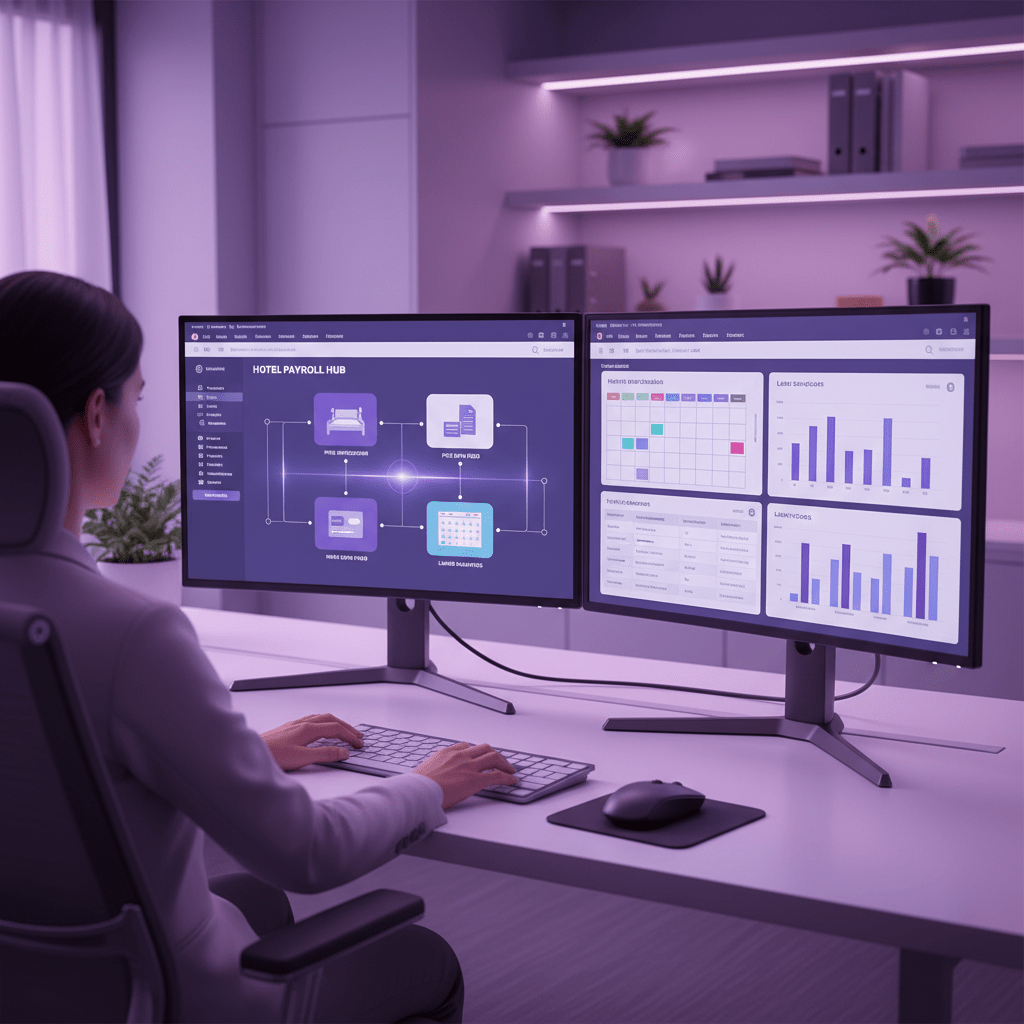
Compliance mistakes can get pricey fast
This is where things get tense. Hotels have to track overtime, breaks, and tip reporting the right way. Miss one piece, and you can run into FLSA trouble, state wage laws, and ugly fines. Willful or repeat wage and hour violations can lead to civil penalties, and recent DOL actions show how fast those numbers can climb.
A few real examples: four Washington-state restaurants were ordered to pay $750,000 in back wages and damages, and a separate settlement tied to a Little Caesars operator in Redwood City required $409,457 in back wages. That’s the kind of bill nobody wants sitting on their desk.
And hotel payroll gets trickier because state rules can be stricter than federal ones. California, for example, has its own labor rules around rest breaks, overtime, and return-to-work rights. So even if your spreadsheet “mostly works,” that word mostly can be expensive.
Pay mistakes hit morale too
Here’s the part people forget. Employees notice payroll mistakes right away.
If a housekeeper gets shorted on tips, or a night auditor waits an extra day for pay, trust drops. Fast. In hospitality, where turnover already sits around 70% to 80% in many segments, one bad paycheck can be the last straw. People don’t usually quit because of one form. They quit because the small stuff keeps going wrong.
And payroll accuracy matters for retention. Industry sources tied to ADP and Gallup data say teams with higher payroll accuracy see better retention and stronger engagement. That makes sense. When people trust their pay, they’re calmer at work. Less distracted. Less likely to look elsewhere.
The hidden drain adds up in hotel operations
So what does this look like in real life? A front office manager spends Sunday night fixing hours. A restaurant lead sends tip sheets late. HR double-checks PTO. Accounting has to clean up the mess after payroll closes. Then the whole cycle starts again.
That’s why more operators are moving to payroll management software for hotels that connects with the rest of the stack. When hotel employee payment processing pulls data from scheduling, POS, and PMS tools, you cut manual work and lower the chance of errors. For properties using Ease My Hotel, that kind of flow can sit next to booking management, restaurant systems, staff tracking, and accounting in one place.
Less chasing. Less guesswork. Fewer pay-day headaches.
And honestly, that’s a big win for everyone.
Core Features: What to Look for in Payroll Management Software for Hotels
A hotel can look calm from the lobby. Back office? Different story.
One minute, a housekeeper swaps shifts. Then the bar team splits tips two ways. Then the night auditor clocks in late because the front desk got slammed. And now payroll has to make sense of all of it. Fun, right?
That’s why payroll management software for hotels should do more than just send paychecks. It should help with hotel employee payment processing, tip management software for hotels, labor cost management for hotels, and the daily stuff that keeps your team from losing patience. Actually, wait, there’s a better way to say it: it should make messy hotel work feel normal.
Here are the features I’d put at the top of the list.
1. Automated tip pooling and tip splits
If your hotel has a restaurant, bar, or room service team, tip handling can turn into a headache fast. Good hospitality payroll solutions should let you set tip rules once, then split tips by hours worked, role, or manager rules. Some systems also let you pull tip data straight from POS tools, which cuts down on manual entry.
That matters a lot for restaurants inside hotels, since one wrong tip report can spark a whole mess before lunch is even over.
2. POS and PMS integration
This is a big one. A solid hotel payroll system should connect with your POS and PMS so hours, job codes, and tip data flow in without extra typing. That kind of PMS integration payroll helps managers see labor patterns sooner, too.
For example, if your front desk is overstaffed on slow Tuesdays, or your breakfast crew keeps running long on low-occupancy mornings, you want to spot that before payday. Not after. Some systems even tie into tools like Oracle OPERA Cloud, Cloudbeds, Mews, Toast, and Lightspeed, which makes the whole setup feel less patchy.
3. Time and attendance with mobile clock-in and clock-out
You know what no one loves? Chasing paper timesheets.
Integrated time tracking is one of those features that sounds plain, but it saves a ton of grief. Staff should be able to clock in and out from a phone or kiosk, and managers should be able to catch missed punches fast. That’s especially handy for hotels with multiple shifts, shared roles, or staff who move between housekeeping and food service in the same day.
And yes, fewer missed punches means fewer payroll surprises. That alone can save a late-night panic.
4. Automated tax filings and compliance support
Payroll tax rules can get thorny, especially across different states. So your software should handle tax calculations, filing reminders, and year-end forms without making HR feel like they’re doing tax prep for fun. A good platform also helps with wage and hour compliance, overtime tracking, and record keeping.
For hotels, this is a very nice safety net. One missed overtime rule or bad tax code can get expensive fast, and nobody wants that kind of drama hanging over the front office.
5. Employee self-service portal
This one saves time for everybody.
A strong employee portal lets staff view pay stubs, update address or bank info, and grab tax documents like W-2s without asking HR for help. That means fewer repeat questions, less phone tag, and less paperwork piling up on someone’s desk.
For a hotel with high turnover, that matters even more. New hires come and go. People forget logins. Documents get lost. A self-service portal keeps a lot of that from becoming your problem.
| Feature | Why it helps hotels |
| Automated tip pooling | Splits tips fast and cuts manual errors |
| POS integration | Pulls tip data without retyping |
| PMS integration | Helps with labor forecasting and staffing |
| Mobile time tracking | Makes clock-in and clock-out easier for shift workers |
| Automated tax filing | Reduces tax mistakes and late filings |
| Compliance tools | Helps track overtime and wage rules |
| Employee self-service portal | Lets staff check pay and tax docs on their own |
If you’re comparing options, look for payroll software that fits into the rest of your hotel stack, not one more tool to babysit. Ease My Hotel works well here because it brings booking management, restaurant systems, staff tracking, and accounting into one place. That kind of setup can make payroll feel a lot less separate from the rest of operations.
And that’s the real goal, isn’t it? Less chasing. Less copying. Less midnight spreadsheet drama.
If you want a smarter next step, start by listing your current payroll pain points, then match them to the features above. That simple checklist makes demos way easier to judge. Honest demos too. The kind where you can say, “Show me how you handle tip splits,” and watch what happens.
A 4-Phase Plan for Implementing Your New Hotel Payroll System
You know that moment when you finally decide, “Okay, we’re doing this,” and then the real work starts? Yep. That’s payroll software rollout.
The good news: it doesn’t have to be chaos. If you split the move into four clear phases, the whole thing feels a lot less scary. And for a hotel, that matters. Staff are moving fast, shifts change, and one tiny mistake can ripple through the whole property.
Here’s a simple 4-phase plan for payroll management software for hotels.
Phase 1: Needs Assessment and vendor shortlist
Start with the mess you already have. Really. Map every step of your current payroll flow. Who sends hours? Who checks tips? Who fixes overtime? Who signs off at the end?
Then write down the pain points. For example:
- Too many manual tip edits
- Late time sheets from departments
- No clean PMS integration payroll flow
- Too much back-and-forth between HR and accounting
- Staff asking for pay stub help all the time
Now build your must-have list. If you run a busy restaurant inside the hotel, tip management software for hotels may be a top need. If your team works across front desk, housekeeping, and food service, mobile time tracking and labor cost management for hotels might matter more.
After that, make a shortlist of vendors. A good hotel payroll system should fit your property size, your staff mix, and your tools. Look at hotel employee payment processing, restaurant payroll software, tax support, and how the software handles shifts, tips, and compliance. If you’re using Ease My Hotel, you’ll want something that plays well with booking management, restaurant systems, staff tracking, and accounting in one place.
Phase 2: Data migration and system setup
Now the slightly boring part. But it’s the part that keeps you from crying later.
Before you move anything, clean your data. Check employee names, pay rates, job codes, tax details, bank info, PTO balances, and department names. Old bad data can sneak into a new system fast, and that’s a headache nobody needs.
Set up these pieces next:
| Setup item | Why it matters |
| Pay codes | Keeps hourly, overtime, and holiday pay clear |
| Departments | Helps split labor costs by team |
| Tip rules | Makes tip pooling and split tips fair |
| PTO policies | Keeps leave tracking clean |
| Tax settings | Helps avoid filing mistakes |
| Approval steps | Keeps managers in the loop |
This is also where you connect your systems. If your payroll tool can link with your PMS and POS, you’ll save a ton of retyping. That matters a lot for automating hotel payroll and cutting tiny errors before they grow.
Phase 3: Staff training and pilot testing
Do not skip training. Please. A pretty dashboard won’t help if nobody knows where the clock-in button lives.
Train managers first. They usually need the deepest walkthrough because they approve hours, fix punches, and handle tip rules. Then train staff in small, role-based sessions. Housekeeping doesn’t need the same lesson as the bar team. And front desk folks? They’ll want quick answers and fast logins.
A few good training ideas:
- Short 15-minute sessions
- Simple cheat sheets near time clocks
- QR codes that link to how-to videos
- Separate help for managers and line staff
After training, run a parallel payroll test. That means running the old system and the new one at the same time for one or two pay cycles. Check everything. Hours. Overtime. Tips. Deductions. Net pay. Compare results line by line.
It’s a little tedious. But it’s the best way to catch mistakes before payday turns into a problem.
Try Ease My Hotel for free.
No lock-in contracts. Cancel anytime
Phase 4: Go-live and 90-day review
Once the test looks good, it’s go time.
Pick a launch date that gives your team room to breathe. A slow week is better than a holiday rush. Then tell everyone what changes, what stays the same, and who to call if something looks off.
For the first few weeks, keep support close. That means fast answers for managers, quick fixes for payroll admins, and a clear way for staff to ask questions about pay stubs or time entries.
After 90 days, sit down and review the results. Ask things like:
- Are payroll errors down?
- Are managers saving time?
- Are tips and overtime being handled correctly?
- Is labor cost data easier to read?
- Are staff happier with pay visibility?
This review is a big deal. It shows whether the new hotel payroll system is just installed… or actually helping.
And if you’re using Ease My Hotel, this is a great time to look at how payroll fits with staff tracking, accounting, restaurant systems, and booking flow. The best setup is the one that feels like one clean process, not five tools glued together.
If you want a smart next step, start with your current payroll map and line it up against your must-have list. Then ask vendors to show you real hotel examples, not just polished sales talk. That’s where the truth lives.
The Power of Integration: Connecting Payroll with Your PMS and POS
You know that weird moment when the bar is slammed, the front desk is juggling check-ins, and someone still has to figure out tip splits before payroll closes? That’s where a connected setup starts to feel like a lifesaver.
If your payroll tool talks to your POS, the sales and tip data can flow in on its own. No more copying numbers from Toast or Lightspeed into a spreadsheet at 8:47 p.m. No more “Wait, which tip report is the right one?” That alone can cut down on mistakes in hotel employee payment processing and tip management software for hotels.
And the real win? The numbers stay cleaner. POS integration helps pull in tip totals, hours, and job codes without extra typing, which means fewer errors and less back-and-forth for managers. For hotel payroll system teams, that’s a pretty big relief.
Why PMS integration changes the game
Now let’s talk about the PMS side. This is where payroll stops being a lonely back-office task and starts acting like part of the hotel’s day-to-day flow.
When payroll management software for hotels connects with the PMS, labor data can line up with occupancy, room demand, and revenue in near real time. So if Tuesday night is slow, your staffing picture should show that. If a weekend sellout is coming, you can see the labor pressure before it hits the floor. That makes labor cost management for hotels a lot easier to read.
Actually, wait, there’s a better way to say it: a PMS connection helps you see whether labor is too high before the month ends. That matters because payroll is not just about paying people. It’s also about knowing if you’re spending too much to run the building.
For hotels using a setup like Ease My Hotel, this kind of PMS integration payroll fits with booking management, restaurant systems, staff tracking, and accounting in one place. Less jumping between tabs. Less guessing. More control.
What leadership gets from a connected stack
Once payroll, PMS, and POS are all talking, leadership gets one clean view of labor. Not five reports. One view.
That makes it much easier to track labor as a percentage of revenue, spot overtime spikes, and adjust schedules before costs get out of hand. Some hospitality teams use this to keep labor closer to 28% to 30% of revenue instead of drifting toward the industry average of 33% to 35% (Skift’s hotel labor cost analysis). Handy, right?
It also helps with trust. When the numbers match across systems, managers spend less time arguing about who worked what and more time fixing the schedule. And for a hotel with high turnover and lots of moving parts, that kind of clarity can calm a lot of chaos.
Here’s the short version:
| Connected system | What it helps with |
| POS integration | Automates tip and sales data entry |
| PMS integration | Matches labor with occupancy and revenue |
| Unified dashboard | Shows labor cost trends in one view |
| Better reporting | Helps with budgeting and scheduling |
If you’re comparing hospitality payroll solutions, look for systems that work well with your PMS and POS first. Then ask how the data syncs, how often it updates, and whether job codes, tips, and hours map cleanly. That’s the stuff that makes automating hotel payroll feel real, not just promised.
And if you’re using Ease My Hotel, this is a good moment to ask how payroll, restaurant systems, and staff tracking can work together in one flow. Because once the stack talks to itself, the whole property gets a little easier to run.
Measuring ROI: Justifying the Investment in a Hospitality Payroll Solution
You know what makes hotel owners raise an eyebrow? A software bill. Fair enough. Nobody wants another monthly cost unless it pays for itself.
But with payroll management software for hotels, the return can show up pretty fast. Start with the plain math. Count the hours your HR team, managers, and accountants spend on payroll each pay cycle. Then multiply those hours by hourly pay. If a front office manager makes $28 an hour and spends 6 hours fixing timesheets, that’s $168 right there. Do that across four managers and two payroll runs a month. The number gets loud.
Then look at error savings. Payroll mistakes are pricey. The IRS says about 33% of employers make payroll errors, and the average cost can land around $845 per error once you count fixes and reissues IRS payroll guidance. For a hotel, one bad tip split or overtime miss can touch a whole team, so that cost can climb even more.
Here’s a simple ROI formula you can use:
| ROI Piece | What to measure |
| Time saved | HR and manager hours saved per pay cycle |
| Error savings | Fewer paycheck fixes, reissues, and admin cleanup |
| Compliance savings | Lower risk of wage and hour penalties |
| Software cost | Monthly or yearly subscription fees |
So the basic math looks like this:
ROI = [(Annual time savings + error savings + avoided penalties) – Annual software cost] / Annual software cost x 100
That’s the numbers side. But there’s more.
The softer wins matter too. Better payroll accuracy usually means better morale. Staff trust paychecks more when they arrive right the first time. And in hospitality, where turnover can hover around 70% to 80%, that trust matters a lot. Less stress. Fewer angry calls to HR. More calm on payday.
Plus, a good hotel payroll system gives you cleaner labor data. That helps with labor cost management for hotels, scheduling, and budget planning. If your PMS integration payroll setup also pulls in hours and tip data, you can spot waste faster and make smarter staffing calls next week, not next quarter.
If you’re comparing hospitality payroll solutions, ask vendors to help you build a simple before-and-after report. Show them your current payroll hours, your error rate, and what one compliance mistake might cost. Then ask how their hotel employee payment processing, tip management software for hotels, and restaurant payroll software features change those numbers.
That’s the real test. Not shiny screens. Real savings.
For hotels using Ease My Hotel, this is a strong place to look at payroll beside booking management, restaurant systems, staff tracking, and accounting. When the tools talk to each other, the ROI gets a lot easier to see. And honestly, it feels better to run the place too.
If you want a first step, map one full pay cycle this week. Just one. Write down every manual task, every correction, and every person involved. That baseline will tell you more than a sales pitch ever will.

Transforming Your Hotel Operations, One Paycheck at a Time
The easiest payroll system to ignore is the one that only looks messy on payday. But hotels don’t really get that luxury. When shifts move, tips change, and staff come and go fast, manual work turns into stress, mistakes, and extra cost before you even notice it.
Moving to payroll management software for hotels is not just about saving time. It helps cut payroll errors, lowers compliance risk, and gives your team a steadier paycheck experience. That matters in a field where turnover in leisure and hospitality still hovers around 70% to 80% BLS turnover data, and where one payroll mistake can cost around $845 on average IRS payroll guidance.
And here’s the part I really like. The right hotel payroll system does more than pay people. It supports hotel employee payment processing, tip management software for hotels, restaurant payroll software, and labor cost management for hotels in one flow. For properties using Ease My Hotel, that also means payroll can sit alongside booking management, restaurant systems, staff tracking, and accounting instead of living off in a separate mess.
So the next step is pretty simple. Start your needs assessment. Map your current payroll steps, list the pain points, and match them to the features in this guide. That one small move can make your demo calls a lot clearer, and your next payday a whole lot calmer.
Try Ease My Hotel for free.
No lock-in contracts. Cancel anytime