
Why Proving Hotel Social Media ROI Feels Impossible (And How to Fix It)
You post the room tour. The sunset shot gets likes. The reel gets a few shares. And then the general manager asks the one question that can make any marketer sweat a little: “So… did it help bookings?”
Yep. Been there.
That’s the headache with social media marketing hotel industry teams face every week. The pages may look busy, but the business result can feel fuzzy. Likes are nice, sure. Followers too. But owners and GMs want to know something bigger. Did social media bring in guests? Did it help direct bookings? Did it move revenue?
Here’s the good news. We can measure that. Not perfectly every time, but well enough to make smart calls. And once you stop chasing vanity metrics and start tracking social media KPIs for hotels that tie back to bookings, the picture gets a lot clearer.
Travelers are already using social in a big way. In 2025, 75% of travelers used social platforms for destination research and inspiration, according to We Are Social’s travel content report. So the real question isn’t, “Does social matter?” It does. The real question is, “How do we prove hotel social media ROI in a way that makes sense to the people signing the checks?”
That’s what this guide is for. We’re going to walk through a simple framework for measuring hotel marketing success, tracking hotel campaign performance, and linking social activity to real business goals like occupancy, direct bookings, and revenue. No fluff. Just the stuff that helps you prove social media value for a hotel without losing your mind.
Step 1: Aligning Social Media KPIs with Your Hotel’s Core Business Objectives
You know that moment when a report looks busy, but nobody can tell what it means? Yep, that one. A hotel can rack up likes, comments, and a few happy emojis, but if the goal was more direct bookings, then those pretty numbers don’t tell the full story.
So let’s start where the real work starts: your business goals.
If your hotel is trying to fill slow months, your social media metrics should point to off-season occupancy. If your spa is usually quiet on weekdays, track clicks to spa pages and booking forms. If OTA fees are eating your profit, then direct booking traffic should sit near the top of your list. That’s the whole trick. The best social media marketing hotel industry teams don’t pick metrics first. They pick goals first, then work backward.
Here’s a simple way to map it out:
| Hotel business goal | Social media KPI to watch | What it tells you |
|---|---|---|
| Increase direct bookings | Click-through rate on “Book Now” links | People want to take the next step |
| Drive more spa bookings | Link clicks to spa offers | Your offer is getting attention |
| Fill off-season rooms | UTM-tagged traffic from seasonal posts | Social is helping with demand |
| Raise brand awareness | Reach, shares, and saves | More people are seeing and keeping your content |
| Build trust before booking | Comments, DMs, and video watch time | Guests are interested and asking questions |
And yes, this is where social media KPIs for hotels start to feel less random. You stop guessing. You start measuring hotel marketing success in a way that owners and GMs can actually use.
Now, a quick reality check. Social content doesn’t all work the same way. A sunset reel might help with awareness, while a room tour can move people closer to booking. That matches the AIDA funnel pretty well: Awareness, Interest, Desire, Action. A guest might first see your resort on Instagram, watch a room video next, check reviews later, and book two days after that. That’s the guest journey. Messy, human, and not always neat in the data.
But that doesn’t mean it’s untrackable. It just means you need the right lens. When you follow hospitality social media analytics and connect posts to booking paths, the picture gets much clearer. And once that clicks, proving social media value for a hotel stops feeling like a gamble.
Actually, wait, there’s a better way to think about it. Social is not just a feed. It’s a path. One post can start the trip. Another one can close it.
And that is where we go next.
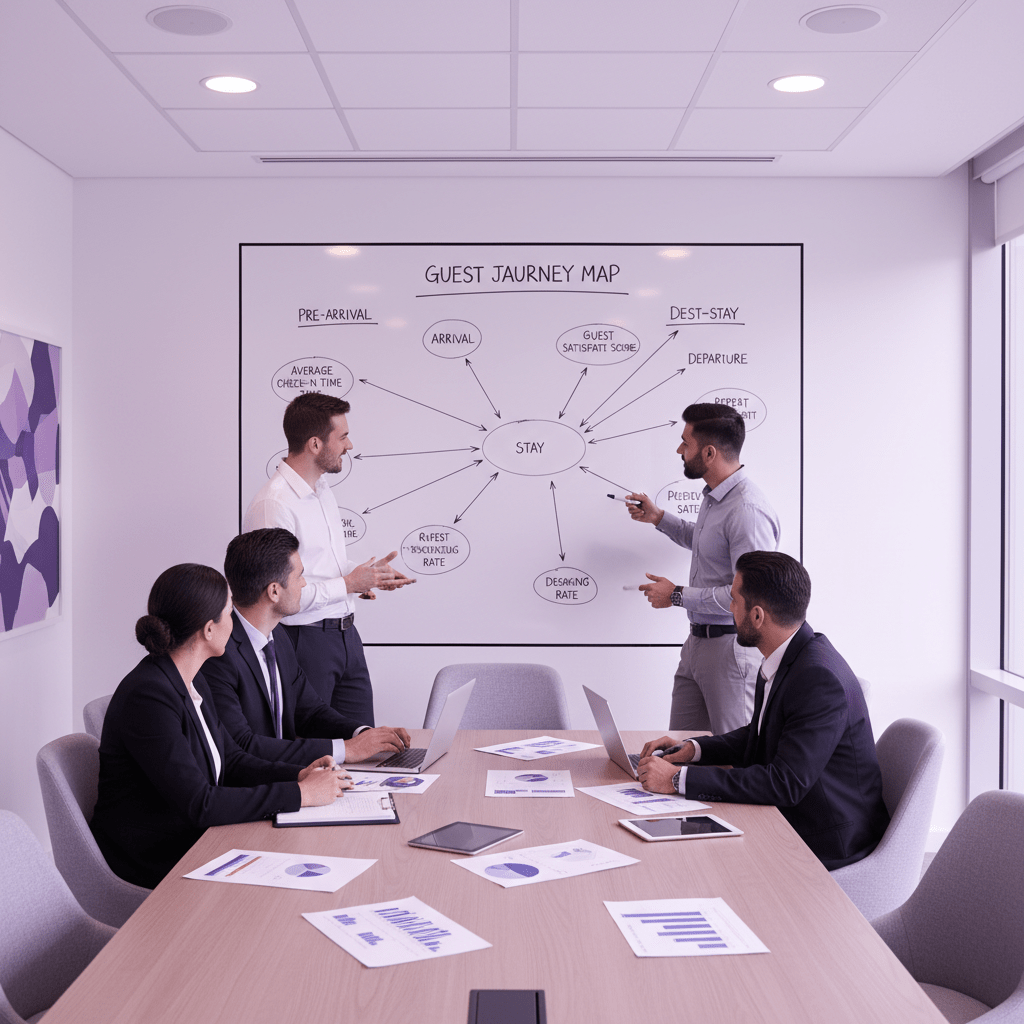
Step 2: The Hotelier’s Measurement Framework – KPIs for Each Stage of the Guest Journey
You know that weird feeling when a post does well, but you still can’t tell if it moved the needle? Yeah. Social can look busy and still leave you guessing. That’s why we need a simple map.
Think of hotel social media in three parts: awareness, consideration, and conversion. It’s not fancy. It just works better than staring at likes and hoping for the best.
1) Awareness: are people even seeing you?
This is the top of the funnel. The goal here is simple. Get your hotel in front of the right eyes.
For this stage, the best social media metrics for hoteliers are usually:
- Impressions: how many times your post showed up
- Reach: how many people saw it
- Video view duration: how long people kept watching
- Share of voice: how much of the conversation you own compared to nearby hotels or similar brands
And yes, these numbers matter. A lot. Travelers are already using social to plan trips, with 75% using social platforms for destination research and inspiration. So if your hotel isn’t showing up, you’re missing a huge chunk of the early search moment.
Short-form video matters here too. A room tour, rooftop pool clip, or lobby walkthrough can grab attention fast. Instagram Reels, in particular, often reach far more people than Stories. TikTok can pull in strong engagement too, which is why so many hotel teams now treat video like front-desk visibility. First impression stuff.
Share of voice sounds a little fancy, but it’s just a simple comparison. Take your mentions or engagement, divide it by the total for you and your competitors, then multiply by 100. That gives you a rough read on how visible you are in the local market. Handy, right?
Here’s a tiny example:
| Metric | What it tells you | Why hoteliers care |
|---|---|---|
| Impressions | Your content got shown | Brand names start sticking |
| Reach | Real people saw it | You’re not posting into the void |
| Video watch time | People stayed with the content | The content is holding attention |
| Share of voice | Your presence vs competitors | You can spot who owns the conversation |
If you’re running a property group, this gets even more useful. One hotel may be winning the weekend crowd, while another gets more attention from wedding planners or business travelers. Different property, different job.
2) Consideration: are people leaning in?
This is where a lot of teams get it wrong. They stop at likes. But likes are pretty light. Nice to see. Not always useful.
What tells a better story? Comments. Shares. Saves. DMs.
Those actions show people are thinking about a stay, tagging a travel buddy, or saving your post for later. That’s a much warmer signal than a thumbs-up. In my experience, a save on a suite post says more than ten generic likes ever will.
And here’s the funny part. Guests often act like travelers first and buyers second. They ask about pool hours, late check-in, pet policies, breakfast, and parking in the DMs. That’s not noise. That’s intent.
Track these consideration-stage signals:
- Comments: are people asking real questions?
- Shares: do they think a friend should see it?
- Saves: are they keeping it for later?
- Direct messages: are they checking details before booking?
- Profile visits: did the post make them curious enough to click?
This is also where guest photos and short videos help a ton. A polished reel is nice, but a real guest shot from the balcony often feels more believable. Weird, but true. People trust people.
Travel content has that effect. Some travelers say influencers shape their trip choices, and hotel social media marketing in the hotel industry works best when it feels human, not staged. If a guest is asking follow-up questions, you’re not just building engagement. You’re building booking intent.
And that matters for hotel social media ROI. Because the sale usually doesn’t happen right away. A person may see your post on Tuesday, send it to their partner on Thursday, then book on Sunday. Messy. Very normal.
So if your report only shows likes, you’re missing the middle of the story. And the middle is where trust lives.
3) Conversion: did social turn into bookings?
Now we get to the part everyone wants.
This is where you track social media booking conversions for hotels. Not vibes. Real actions.
The main things to watch are:
- Clicks on booking links
- UTM-tagged traffic from each platform
- Direct booking starts and completions
- Promo code use
- Revenue tied to campaign traffic
UTM links sound technical, but they’re pretty simple. They just tell you where someone came from. So instead of guessing whether Instagram helped, you can actually see it in your reports. That alone can make hotel campaign performance tracking way less painful.
If you’re using a tool like Ease My Hotel, this gets easier because your booking data, guest communication, and property dashboard can live in one place instead of bouncing between five tabs and a prayer. That makes it much easier to connect a social click to a stay.
A quick rule of thumb:
- Awareness tells you who saw it
- Consideration tells you who cared
- Conversion tells you who booked
Simple. Not always easy, but simple.
And that’s really the point of measuring hotel marketing success. Not every post needs to sell a room today. Some posts just make the next booking feel safer.
So when you build your reporting, don’t cram everything into one bucket. Split the journey. Measure each stage. Then you’ll have a much clearer way to prove social media value for a hotel without turning your monthly report into a guessing game.
Try Ease My Hotel for free.
No lock-in contracts. Cancel anytime
Step 3: Tracking the Money – How to Measure Social Media’s Impact on Bookings & Revenue
You know that moment when a guest books after seeing your reel, and nobody can prove where it came from? Annoying. Very annoying. But we can fix that.
If you work in the social media marketing hotel industry, this is the part that turns guesswork into proof. Not magic. Just clean tracking. And yes, it takes a little setup at first, but once it’s in place, you can see which posts help drive traffic, bookings, and revenue.
First, tag every link with UTM codes
UTM parameters are tiny labels added to the end of a link. They tell GA4 where a visitor came from. So instead of seeing “random traffic,” you can see Instagram, Facebook, TikTok, or wherever that click started.
Here’s the simple setup:
| UTM part | What it means | Example |
|---|---|---|
| utmsource | The platform | |
| utmmedium | The traffic type | social |
| utm_campaign | The post or offer | summer-sale |
Example link:
www.hotelwebsite.com?utm_source=instagram&utm_medium=social&utm_campaign=summer-sale
That’s it. No coding drama. You can build these links with Google’s free Campaign URL Builder, then use them in every social post, story link, bio link, and paid ad.
And please, use the same naming style every time. If one campaign says spa-promo and another says spapromo, your reports will look messy fast.
Next, read the traffic in GA4
Once your UTM links are live, GA4 can show what people did after they clicked. Did they browse rooms? Did they look at the spa page? Did they start a booking and leave? That’s the stuff hotel campaign performance tracking should answer.
In GA4, check:
- Traffic acquisition to see which social channels sent visits
- Engagement rate to spot which visitors stayed around
- Pages and screens to see what they viewed
- Events to see what actions they took
This is where hospitality social media analytics gets way more useful. A post with lots of clicks but no booking starts is a clue. So is a post that sends fewer visitors but a higher share of room searches.
Actually, wait. That last one matters a lot. A smaller number with better quality traffic can beat a big noisy crowd pretty easily.
Then, set up booking conversions in GA4
Now we get to the money part.
In GA4, you want to mark completed bookings as a conversion. That usually means a “thank you” page, booking confirmation event, or purchase event if your booking engine sends that data through.
A simple setup looks like this:
- Make sure your booking engine sends a clear completion event.
- Check that event in GA4 under Events.
- Mark that event as a conversion.
- Compare conversion traffic by source and campaign.
So if Instagram sends 200 visitors and 8 bookings, you can see it. If Facebook sends 500 visitors and no bookings, that tells a different story. Pretty helpful, right?
And this is where you can start proving social media value for a hotel without waving your hands around in a meeting.
Don’t forget platform tools that help too
GA4 is the main scoreboard, but platform tools can add more proof.
- Google Business Profile can show a “Book Now” button, which is handy when your social content pushes people to search your hotel name right after seeing a post.
- Instagram booking features can help if your setup supports direct scheduling or booking links.
- Promo codes from social campaigns make offline or messy online sales easier to track.
For example, if you run a “SUMMER20” code in an Instagram Story, you can match that code to actual bookings in your system. If you use a hotel platform like Ease My Hotel, that gets easier because booking data, guest communication, and reporting can live in one place instead of bouncing between spreadsheets and five tabs open all day.
A simple tracking flow that works
Here’s the basic path I’d use:
| Step | What to do | Why it helps |
|---|---|---|
| 1 | Add UTM links to every social post | You know where traffic came from |
| 2 | Track visits in GA4 | You can see what people did next |
| 3 | Mark booking completions as conversions | You can tie social to sales |
| 4 | Watch promo code use | You catch bookings that don’t show up in clicks |
| 5 | Compare campaigns side by side | You see what actually worked |
And that’s the real win here. Not just more data. Better decisions.
When you track social media booking conversions for hotels this way, your reports stop sounding like a guess. They start sounding like a plan.

Step 4: Measuring Post-Stay Engagement and Long-Term Loyalty
You know what gets missed a lot? The part after checkout.
A guest leaves happy. They post a pool pic. They tag your resort. Maybe they even say, “We’re coming back next year.” And then the report ends like that moment never happened. Kinda wild, right?
But social media marketing hotel industry work does not stop at the front desk. It keeps going after the bags are gone and the room key is turned in. That post-stay stretch can tell you a ton about hotel social media ROI, because it shows who loved the stay enough to talk about it.
Track guest posts, tags, and branded hashtags
This is where user-generated content, or UGC, starts doing real work. Watch your branded hashtag. Watch your hotel name mentions. Watch story tags and location tags too. If guests keep posting from the same rooftop bar or lobby corner, that’s not random. That’s social proof.
And social proof sells. People trust other travelers more than polished ads. A guest selfie by the pool often feels more real than your fanciest reel. I know, not always fair. But that’s how people think.
Here’s a simple way to track it:
| What to watch | What it means | Why it helps |
|---|---|---|
| Branded hashtags | Guests are linking your name to their trip | Easy UGC discovery |
| Mentions and tags | People are talking about your hotel | Strong trust signal |
| Location tags | Guests are sharing from your property | More visibility in search |
| Guest photos and videos | Real people showing the stay | Great future marketing material |
If you want this to work well, make it easy. Good Wi-Fi. A pretty corner. A small sign with your hashtag. Nothing pushy. Just a gentle nudge. Then feature guest posts when they’re shared with permission.
Look for repeat visits and return signals
Now here’s the part that gets a little softer, but it still matters. Not every guest will book again the day after a trip. Some will wait months. Some will come back next season. Some will tell a friend first, then book later.
So how do we measure that? We look for signs.
- Guests who comment, “See you again soon”
- People who tag you after a return stay
- Guests who respond to a comeback offer on social
- Followers who keep liking your posts after their trip
- Repeat bookings that started with a social touchpoint
This is where long-term loyalty starts showing up in small ways. A return visit from someone who first found you on Instagram is worth paying attention to. And if you use a system like Ease My Hotel, you can keep booking details, guest messages, and repeat stay data in one place, which makes it much easier to spot patterns without digging through six spreadsheets and a headache.
Why this matters for LTV
Guest lifetime value, or LTV, is just the value a guest brings over time. Not one stay. Not one dinner. The full picture.
If social content helps a guest book twice a year instead of once, that changes the math fast. And if your posts keep guests talking after checkout, that can help future bookings too. As a side note, travel and hospitality accounts already average about a 1.73% engagement rate, so even small bumps in loyalty and sharing can matter a lot.
You won’t always get a neat number here. Fine. That’s normal. But you can still report on post-stay engagement, UGC volume, repeat mentions, and return visits tied back to social. That’s how we prove social media value for a hotel beyond the first booking.
And honestly? That’s the part many GMs care about most. Not just who came once. Who came back.
Tools of the Trade: Essential Analytics Platforms for Hoteliers
Ever stare at a social report and think, “OK… but what does this do for bookings?” You’re not alone. A lot of hotel teams feel that way.
The good news? You don’t need a giant tech stack to get started. For most hotels, the best setup is pretty simple: native platform analytics, a social management tool if you need one, and Google Analytics 4 for the money trail.
And yes, the tools matter. But the real win is picking the right ones for your team size and budget.
1) Native platform analytics: free, fast, and right there
If you’re just starting out, begin with the tools built into each app. They cost nothing, and they show you what’s happening inside the platform.
Meta Business Suite works well for Facebook and Instagram. It shows reach, clicks, engagement, and audience details. For a hotel marketer, that means you can see which room tours, pool clips, or event posts are getting attention without guessing.
TikTok Analytics is handy if your property leans into short video. It helps you spot watch time, follower growth, and post performance. That matters because travel content gets noticed. In fact, 75% of travelers use social platforms for destination research and inspiration, and We Are Social’s 2025 travel report shows how big that habit has become.
2) All-in-one social tools: good for busy teams and groups
If you manage more than one property, or if you need clean reports for a GM, an all-in-one tool can save a ton of time.
Sprout Social is strong for competitor analysis, hashtag tracking, and polished reports. That makes it useful for hotel campaign performance tracking and share of voice checks.
Hootsuite is a solid pick for scheduling across channels and keeping a team on the same page. Later is a nice fit for visual brands that post a lot of Instagram and TikTok content.
These tools help when you want to prove social media value for a hotel without pulling screenshots from six different apps. Handy. Less chaos too.
3) Web analytics: where bookings show up
This is the part that ties social to real business results.
Google Analytics 4 should be in every hotel marketer’s toolkit. It helps you see where traffic came from, what pages people viewed, and whether they reached a booking confirmation page. That’s how you move from likes to social media booking conversions for hotels.
You can also use GA4 with UTM links to track campaigns. So if an Instagram Story sends people to your booking page, you’ll know it. That’s a big deal for measuring hotel marketing success.
| Tool type | Best for | Hotel team fit |
|---|---|---|
| Native analytics | Platform-level insights | Small teams, solo marketers |
| Sprout Social / Hootsuite / Later | Cross-channel reporting and scheduling | Multi-property teams, busy managers |
| Google Analytics 4 | Website traffic and bookings | Any hotel that wants ROI data |
Here’s the thing. The best tool depends on your setup. A single boutique hotel can do a lot with free native analytics and GA4. A chain with multiple properties may need deeper reporting, competitor tracking, and a shared dashboard.
If you’re using Ease My Hotel, that can help too. A unified dashboard for booking management, guest communication, and property data makes it easier to connect social traffic with stays, repeat guests, and revenue. Less tab-hopping. More clarity.
So if you’re asking where to begin, start simple. Use native analytics. Add GA4. Then grow into a bigger platform only if your reporting needs call for it.
Step 5: From Data to Decisions – Creating Reports that Get You Budget
Ever sat in a meeting where everyone nods at your charts, then asks, “So what?” Brutal. But that’s usually the moment a hotel social report either wins trust or gets ignored.
If we want budget, we need more than pretty numbers. We need a story that a GM can read fast and act on even faster. And that story should focus on website traffic, leads, bookings, and revenue, not just followers or likes.
A simple monthly report template for hotel GMs
Try this format:
| Report section | What to include | Why a GM cares |
|---|---|---|
| Goal | Direct bookings, restaurant covers, spa leads, or event inquiries | Keeps the team focused on business results |
| Traffic | Website visits from social, top channels, UTM results | Shows if social drove interest |
| Leads | DMs, form fills, call clicks, booking starts | Shows real buying signals |
| Bookings | Completed room, table, or spa bookings | Ties social to sales |
| Revenue | Revenue from social campaigns | Proves hotel social media ROI |
| Top content | Best posts, reels, and stories | Shows what people actually liked |
| Next steps | What to do more of, less of, or test next | Makes the report useful |
Keep it short. One page is nice. Two pages is fine too. But five pages of charts? Nobody’s reading that after lunch.
Tell the story behind the numbers
This is the part that gets missed a lot. Don’t just say, “Engagement went up 18%.” Say why it mattered.
For example, maybe your hotel restaurant reel got 12,400 views in one week, plus 84 saves and 27 DMs asking about dinner times. Then dinner reservations jumped 11% the same week. That’s a story. A clean one. And it helps prove social media value for a hotel without sounding like you’re guessing.
Present the data like a human
A few quick rules:
- Compare this month to last month, or last year if seasonality matters
- Call out one or two wins, not ten
- Mention one thing that didn’t work
- Give one clear next move
Also, if a post about your spa outperformed room content, say that. Maybe the next budget push should lean into wellness packages. If a dinner campaign drove more covers than expected, ask for more video time, not just more ad spend. That’s the kind of thinking that turns hospitality social media analytics into actual budget talks.
And if you use Ease My Hotel, you can pull booking, guest message, and revenue data from one dashboard instead of stitching it together by hand. Less tab chaos. More proof.
A final note for the next meeting
The best social reports don’t brag. They guide.
They answer three things: what happened, why it happened, and what we should do next. That’s how we move from measuring hotel marketing success to getting support for the next campaign.
And honestly, that’s what most GMs want. Not noise. Just the truth, plain and simple.
Your Blueprint for Actionable Hotel Social Media Measurement
So here’s the short version. If your social posts are busy but not helping bookings, the problem is probably the tracking, not the content.
The fix is simple, even if the setup takes a little care. First, line up your social goals with business goals. Then use a funnel view, from awareness to booking. After that, track clicks, bookings, and revenue with UTM links and GA4. Also, keep an eye on guest tags and return visits, because loyalty matters too. And when it’s time to report, talk like a hotel leader, not a vanity metrics fan club.
That matters because social media already shapes travel choices in a huge way. In 2025, 75% of travelers used social platforms for destination research and inspiration, according to We Are Social’s travel report. So the question is not whether social media marketing hotel industry teams should care. It’s how to prove the value.
Actually, wait. Here’s the better way to think about it: busy is not the goal. Booked is the goal.
This week, choose one social media post and create a UTM link for it. Then watch in Google Analytics as you track your first visitor from social media all the way to your booking engine. Simple start. Big payoff.
Try Ease My Hotel for free.
No lock-in contracts. Cancel anytime