

Steering Your Ship: Why SEO Data is the Compass for Increasing Direct Bookings
Ever look at your hotel inbox and think, “Why are we paying so much just to get a booking back?” You’re not alone. OTAs can feel like a fast lane, but the fees add up fast. Booking.com, Expedia, and Agoda often charge hotel owners anywhere from 15% to 30% in commission, which can eat into each stay before the guest even checks in. Direct booking strategy and OTA commission breakdown
And that’s why seo for hotels can’t be judged by traffic alone. A pretty spike in visits is nice. But if those visits don’t turn into direct bookings, room nights, or repeat guests, what are we really measuring?
The better question is this: are your hotel website performance metrics pointing you toward profit, or just page views? With the right hotel seo strategy, you can track hotel website traffic, see what guests do next, and measure hotel seo success in a way that ties back to money in the bank. That’s the real win.
In this guide, we’ll walk through the full path. First, we’ll look at the data setup. Then we’ll dig into google analytics for hotels, booking engine tracking, local seo for hotels, and the numbers that help you increase direct bookings seo without guessing. Nice and simple. Or at least, simpler than the old “hope and pray” method.

Laying the Foundation: Your Essential Hotel Analytics Toolkit
You know that feeling when bookings are coming in, but you can’t tell why? That’s where a good setup saves the day. Not fancy. Just clean, simple tracking that shows what guests do before they book.
First up, get Google Analytics 4 in place for your hotel website and booking engine. If you only track page views, you’re missing the real story. Set up conversion events like initiate_booking for when someone opens or starts the booking form, and purchase for the completed stay. Those two events tell you a lot more than traffic alone. They help you see which pages lead to room nights, not just clicks.
If your booking engine runs on a separate domain, cross-domain tracking matters too. Otherwise, a guest can start on your site and vanish into the booking flow like they never showed up. Pretty annoying, right? Tools like Ease My Hotel can also help here because a unified dashboard makes booking data, guest actions, and channel info easier to keep in one place.
| Tool | What it tells you | Why it matters |
|---|---|---|
| GA4 | Bookings, form starts, traffic paths | Shows what leads to revenue |
| Google Search Console | Search clicks, queries, site health | Tells you what Google sees |
| Google Business Profile Insights | Calls, direction requests, website clicks | Tracks local search action |
Next, think of Google Search Console as your website health report. It shows the search terms people use, plus technical issues that can hurt hotel seo strategy. Submit your sitemap, then check the Performance report often. If a room page gets clicks but no bookings, that’s a clue. If a page is not showing up at all, that’s another clue. Slow mobile pages, duplicate room URLs, and crawl issues can all show up here, and they can quietly drag down seo for hotels.
And for local seo for hotels, don’t skip Google Business Profile. This one is huge for map pack visibility. Look at Insights for calls, direction requests, and website clicks. Those actions usually mean strong booking intent. Someone asking for directions at 9:40 pm is not just browsing for fun. They’re close.
A simple weekly habit works best:
- Check GA4 for booking and checkout events.
- Review Search Console for new queries and page issues.
- Open GBP Insights to see calls and map clicks.
- Compare the numbers inside your hotel digital marketing analytics dashboard.
That’s the basic setup for measuring hotel seo success without guessing. Once it’s running, you can start spotting which pages help increase direct bookings seo, and which ones need a little love. Not perfection. Just better decisions.
The 7 Hotel SEO KPIs That Directly Impact Your Bottom Line
You know that moment when the dashboard looks busy, but you still can’t tell if bookings are actually growing? Yeah. That’s the trap.
If we want seo for hotels to pull its weight, we have to track the right numbers. Not fluffy traffic counts. Real signals that point to room nights, revenue, and fewer OTA fees eating into your stay value. And since OTAs can take a big chunk of each booking, even a small lift in direct traffic can mean a lot more money staying with you.

Try Ease My Hotel for free.
No lock-in contracts. Cancel anytime
Here are the 7 hotel SEO KPIs I’d keep in front of me every week.
1. Organic Traffic and Sessions
This is the number of people coming to your site from search. Not from ads. Not from email. Just organic search.
Why it matters: if your hotel seo strategy is working, more travelers should find you while they search for places to stay, things to do, or room types that fit their trip. Think of this as your starting line. No visits, no bookings.
Where to find it: in Google Analytics 4, go to Reports > Acquisition > Traffic acquisition. Look for the Session default channel group and filter for Organic Search. In Google Search Console, you can also check clicks under the Performance report.
What good looks like: steady growth over time, plus traffic that lands on useful pages like room pages, local guides, and booking pages. A random spike is nice, sure. But a slow, steady climb is usually the better sign.
2. Keyword Rankings for Non-Branded Terms
This means the search terms that don’t use your hotel name. Stuff like “pet friendly hotel downtown” or “boutique hotel near airport.”
Why it matters: these are the searches that help new guests find you before they know your brand. If you only rank for your own name, you’re mostly getting people who already planned to book. Helpful? Yes. Enough? Nope.
Where to find it: in Google Search Console, open Performance > Search results and look at Queries. Filter out branded terms like your hotel name. Then watch which pages are getting impressions and clicks for those non-branded searches.
What good looks like: more impressions first, then more clicks, then better rankings for high-intent terms. A page sitting around positions 8 to 15 can still be a gold mine if it matches a real traveler need and gets clicked well.
3. Organic Search Conversion Rate
This tells you how many organic visitors actually book. So if 1,000 people come from search and 15 book, that’s a 1.5% conversion rate.
Why it matters: traffic without bookings is just noise. This KPI shows if your seo for hotels is bringing in the right guests, not just curious browsers.
Where to find it: in Google Analytics 4, use Reports > Engagement > Conversions and compare organic traffic against your booking event, like purchase. If your booking engine is set up right, you can also track initiate_booking and begin_checkout to spot drop-off earlier.
What good looks like: hotel website conversion rates from organic traffic often land somewhere around 0.7% to 2%. If you’re below that, the page, offer, or booking flow may need work. And honestly, sometimes it’s the form fields. Sometimes it’s the photos. Sometimes it’s both.
4. Revenue from Organic Search
This one is simple. How much money came from organic search bookings?
Why it matters: this is where seo for hotels gets real. Revenue is easier to explain than traffic. Your owner, GM, or finance team will care a lot more about dollars than sessions. Fair enough.
Where to find it: in GA4, check your ecommerce purchase revenue by channel in the acquisition reports. If you use a booking engine like Mews or SiteMinder, make sure the purchase event passes transaction value, currency, and booking details so the numbers are clean.
What good looks like: organic revenue should grow over time, but also stay tied to quality. A page that brings fewer visitors but more room nights can be a lot better than a page with lots of clicks and weak intent.
5. Google Business Profile Actions
This is the stuff people do on your hotel listing in Google. Calls. Direction requests. Website clicks. Sometimes messages too.
Why it matters: these actions are a strong sign of local intent. Someone checking directions at 8:15 pm is not casually window shopping. They’re close to booking, or already trying to get there.
Where to find it: open Google Business Profile Insights and look at calls, direction requests, and website visits.
What good looks like: a steady flow of actions from search and Maps, especially on mobile. If your listing gets views but almost no calls or clicks, something may be off with your photos, rates, or profile details.
6. Branded vs. Non-Branded Traffic Ratio
This compares searches for your hotel name against searches for everything else.
Why it matters: branded traffic is nice, but non-branded traffic is what grows your audience. If 90% of your organic traffic is branded, you may be leaning too hard on people who already know you.
Where to find it: in Google Search Console, look at Queries and sort by brand terms versus non-brand terms. In GA4, compare landing page traffic and search behavior to see which pages attract new guests.
What good looks like: a healthy mix. There’s no perfect number for every hotel, but more non-branded traffic usually means your hotel seo strategy is reaching fresh travelers instead of only repeat searchers.
7. Assisted Conversions from Organic Search
This one gets missed a lot. It shows when organic search helped a booking, even if it wasn’t the last click.
Why it matters: hotel bookings are rarely instant. People compare dates, read reviews, check maps, then come back later. Organic search may be the first touch, even if paid search or direct traffic gets the final click. That means SEO can be doing a lot more work than your last-click report admits.
Where to find it: in GA4, check Advertising > Attribution > Conversion paths and look at how organic search appears early in the journey.
What good looks like: organic search showing up in multi-step paths to booking. If you only judge by last click, you’ll miss a ton of SEO value. And that’s how good work gets ignored. Annoying, right?
Quick KPI cheat sheet
| KPI | Where to check | What it tells you |
|---|---|---|
| Organic Traffic and Sessions | GA4, Search Console | How many people find you in search |
| Non-Branded Keyword Rankings | Search Console | Whether new guests can discover you |
| Organic Conversion Rate | GA4 | If search traffic turns into bookings |
| Revenue from Organic Search | GA4 | How much money SEO brings in |
| Google Business Profile Actions | GBP Insights | Local intent like calls and directions |
| Branded vs. Non-Branded Ratio | Search Console, GA4 | How much growth comes from new travelers |
| Assisted Conversions | GA4 Attribution | SEO’s role earlier in the booking path |
If you’re using a unified dashboard like Ease My Hotel, this gets easier because booking data, guest actions, and channel info can live in one place instead of a messy spreadsheet pile. That means less guessing and faster fixes.
And if you want a simple rule, here it is: traffic tells you people are showing up. Conversion tells you they liked what they saw. Revenue tells you it worked. Track all three, and your hotel digital marketing analytics starts feeling a lot less like guesswork.
From Data to Decisions: How to Turn Analytics into a Better Booking Strategy
Ever stare at your numbers and think, “OK… now what?” Yeah, same. Data feels helpful right up until it sits in a dashboard and does nothing.
So let’s make it useful. If you want seo for hotels to help you increase direct bookings seo, you need a simple action plan, not a fancy report nobody reads. The trick is to match each clue with a move.
If you see this, then do this
| What the data says | What to do next |
|---|---|
| Low traffic from non-branded keywords | Write blog posts about local spots, events, and things to do nearby |
| Lots of clicks, but few bookings | Check booking engine speed, price clarity, and CTA text |
| GBP views with few calls | Refresh photos, reply to reviews, and post offers |
| People drop off on mobile | Fix form fields, load time, and checkout steps |
Simple? Yep. But also pretty powerful.
If your hotel website performance metrics show traffic is weak on non-branded terms, that usually means travelers are not finding you early enough. So create content that answers real trip questions. Think neighborhood guides, concert weekends, family activities, or “best hotels near [landmark].” One hotel case in Florida saw monthly organic sessions jump from 1,200 to 4,100 after adding local attraction content, which is the kind of lift that makes owners pay attention.
And if you’ve got high traffic but low conversions, don’t blame SEO right away. Look at the booking path. Is your booking engine slow? Are rates hard to compare? Do you hide the best room details until the last step? Nearly 60% of travelers leave before they finish booking, so this problem is way more common than people think. A clunky form can kill good traffic fast.
Here’s the deal: your booking engine should feel calm, clear, and quick. If it takes forever to load on mobile, people bail. If the CTA says “Submit” instead of “Check rates,” that’s weak. If the room names change from page to page, guests get suspicious. I’ve seen that happen, and it’s messy. Really messy.
For local seo for hotels, your Google Business Profile can give you the next set of clues. If GBP Insights show lots of views but few calls or direction requests, it’s time for a cleanup checklist:
- Add fresh, bright photos of rooms, lobbies, and food
- Reply to reviews, even the awkward ones
- Post special offers with short, clear text
- Use Google Posts for events, spa deals, and last-minute stays
- Double-check your hours, phone number, and address
That last one sounds basic. But basic stuff gets missed all the time. Because nothing says “trust us” like an old phone number from 2021.
If you use Ease My Hotel, this gets a lot easier because booking data, guest messages, and channel details live in one place. That makes hotel digital marketing analytics less of a scavenger hunt and more of a real plan.
So the big takeaway? Don’t just measure. Act. Traffic tells you people showed up. Conversions tell you they liked what they saw. GBP actions tell you local interest is rising. And when all three move together, you’re on the right track to measuring hotel seo success.
Need a quick next step? Pick one weak spot this week, fix it, then watch the numbers for 14 days. Small move. Big clue.
Creating Your One-Page SEO Dashboard: A Hotelier’s Command Center
Ever had a GM ask, “So… is SEO actually working?” And you’ve got 14 tabs open, three exports, and one half-broken spreadsheet from who-knows-when? Yeah. That’s the problem right there.
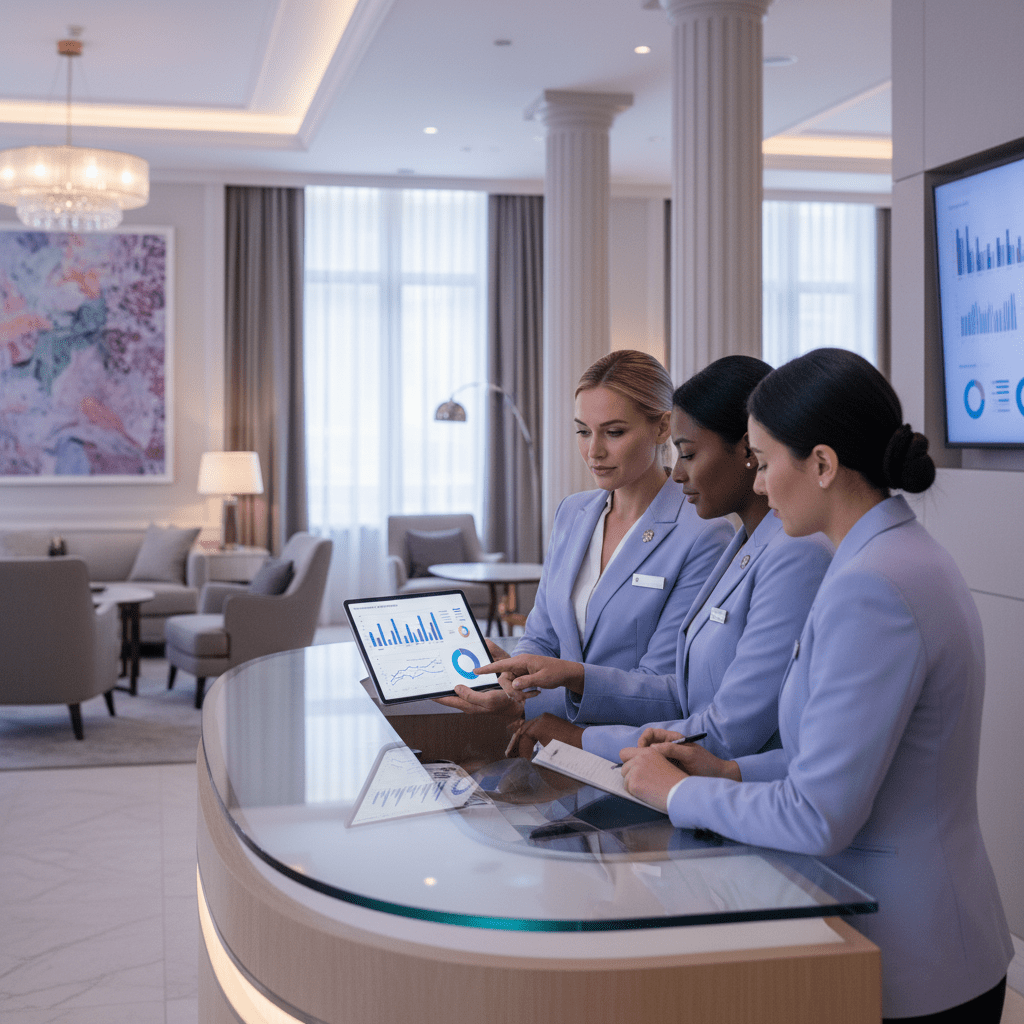
The fix is simpler than it sounds. Build one clean page that shows the few numbers your team can read in under a minute. For many hotels, Google Looker Studio is a great free place to start because it can pull in data from GA4 and Google Search Console without turning your desk into a paper storm.
Here’s the goal: not more data. Better data.
A good one-page hotel SEO dashboard should answer these questions fast:
- Are organic visits going up or down?
- Is search bringing in booking money?
- What non-branded searches are people using?
- Are local actions like calls and direction requests growing?
That’s it. No need to track every tiny click on earth. If your owner only cares about bookings, revenue, and local demand, then those are the things that belong up top.
What to put on the dashboard
| Widget | What it should show | Why the GM cares |
|---|---|---|
| Organic Sessions | This month vs. last month | Shows if tracking hotel website traffic is trending the right way |
| Organic Booking Revenue | Revenue from search visitors | Ties SEO to money, not just clicks |
| Top 5 Non-Branded Queries | Clicks from search terms like “boutique hotel near beach” | Shows what new guests are looking for |
| GBP Actions | Calls, website clicks, direction requests | Shows local intent and booking interest |
I’d keep the design plain. Big numbers. Short labels. Maybe one simple trend line. That’s enough. Because if a manager needs a 20-minute explanation, the dashboard is too busy.
Actually, wait. There’s a better way to think about it. Your dashboard should work like the front desk of your data. Quick glance. Clear answer. No digging around.
If you’re using Ease My Hotel, this gets even easier because booking data, guest communication, and channel info can already live in one place. So instead of jumping between reports, you can connect the dots faster and make smarter calls for your hotel seo strategy.
For a monthly hotel SEO report, I’d start with these four widgets and stop there until the team asks for more. If the numbers move, great. If they don’t, you know where to look next. That’s the whole point of hotel digital marketing analytics anyway. Keep it simple. Keep it useful. And keep it in front of the people who make decisions.

From Data Overload to Direct Bookings: Your Action Plan
You know that weird moment when the numbers are all there, but the story still feels fuzzy? Yep. That’s usually where hotel SEO gets messy. But once you track the right things, the path gets a lot clearer.
The big idea is simple: seo for hotels works best when it points to bookings, not just clicks. If you watch the right hotel website performance metrics, you can spot what brings in direct guests, what pushes them away, and where OTAs are still taking a bigger bite than they should. And with OTA commissions often landing around 15% to 30%, even small gains in direct revenue can add up fast, which is why this stuff matters so much for profitability.
So here’s your quick plan:
Audit your analytics setup this week.
Check GA4, Search Console, and your booking engine tracking. Make sure events likeinitiate_bookingandpurchaseare firing the right way, and check cross-domain tracking if your booking engine sits on another domain.Pick one North Star KPI.
I’d choose Organic Revenue first. It’s easy to explain, easy to watch, and it keeps your hotel seo strategy tied to money instead of vanity stats.Set 30 minutes each month for review.
Open your dashboard, look at traffic, conversions, local actions, and branded vs. non-branded searches. Then make one change. Just one. That’s usually enough to keep momentum going.
If you want a simple benchmark while you’re reviewing, organic direct booking conversion rates often land around 0.7% to 2%, so you’ve got a solid starting point for measuring hotel seo success. And if your numbers are below that, don’t panic. That’s just a clue.
The nice part? This isn’t busywork. It’s how you compete with OTAs without shouting louder. It’s how you use hotel digital marketing analytics to keep more profit in-house, grow repeat stays, and build a better direct booking path over time. Actually, wait, better than that… it turns your data into a front-line tool, not a back-office chore.
And if you’re using a platform like Ease My Hotel, a unified dashboard can make all of this a lot less painful, since booking data, guest activity, and channel info live in one place.
Try Ease My Hotel for free.
No lock-in contracts. Cancel anytime